# Installing necessary packages
if (!requireNamespace("calendR", quietly = TRUE)) {
  install.packages("calendR")
}

# Load packages
library(ggplot2)
library(dplyr)
library(lubridate)
library(calendR)Calendar Heatmap
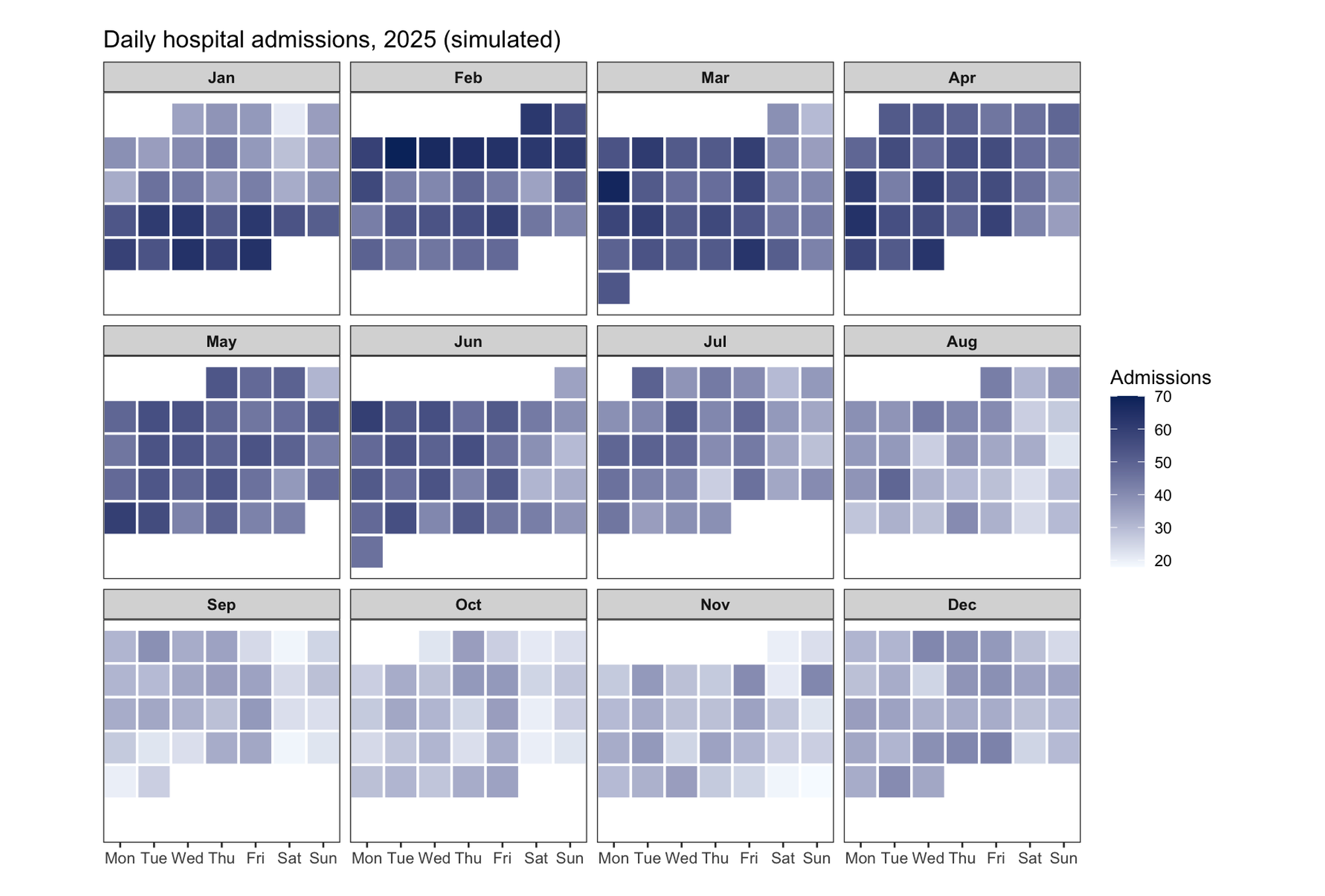
A calendar heatmap tiles a calendar — columns = weekdays, rows = weeks, one facet per month (or one big grid for the year) — and maps a daily value to tile color [1]. It is the natural display for data with strong weekly and seasonal rhythms: hospital admissions, emergency-department visits, lab throughput, or any counter you would sketch on a wall calendar. The layout makes weekday effects (the vertical stripes) and seasonal drift (across facets) visible simultaneously — both invisible in a plain line plot of the same series.
This tutorial builds the layout manually with ggplot2 (geom_tile + month facets), then shows the one-liner alternative with the calendR package [2]. A thin demo of calendR highlighting also exists in Bizard (see Calend Highlight); this tutorial focuses on the data-driven heatmap version.
This tutorial covers three workflows:
- A manual month-by-month calendar heatmap (the version you control fully);
- A one-line full-year heatmap with
calendR; - A single-month
calendRdetail view.
Example
Setup
System Requirements: Cross-platform (Linux/MacOS/Windows)
Programming language: R
Dependent packages:
ggplot2;dplyr;lubridate;calendR
sessioninfo::session_info("attached")─ Session info ───────────────────────────────────────────────────────────────
setting value
version R version 4.6.2 (2026-10-29)
os Ubuntu 24.04.5 LTS
system x86_64, linux-gnu
ui X11
language (EN)
collate C.UTF-8
ctype C.UTF-8
tz UTC
date 2026-10-31
pandoc 3.1.3 @ /usr/bin/ (via rmarkdown)
quarto 1.10.20 @ /usr/local/bin/quarto
─ Packages ───────────────────────────────────────────────────────────────────
! package * version date (UTC) lib source
P calendR * 1.2 2023-10-05 [?] RSPM
P dplyr * 1.2.1 2026-04-03 [?] RSPM
P ggplot2 * 4.0.3.9000 2026-10-30 [?] Github (tidyverse/ggplot2@b638d65)
P lubridate * 1.9.5 2026-02-04 [?] RSPM
[1] /home/runner/.cache/R/renv/library/Bizard-5140bdc6/linux-ubuntu-noble/R-4.6/x86_64-pc-linux-gnu
[2] /home/runner/work/_temp/Library
[3] /opt/R/4.6.2/lib/R/library
* ── Packages attached to the search path.
P ── Loaded and on-disk path mismatch.
──────────────────────────────────────────────────────────────────────────────Data Preparation
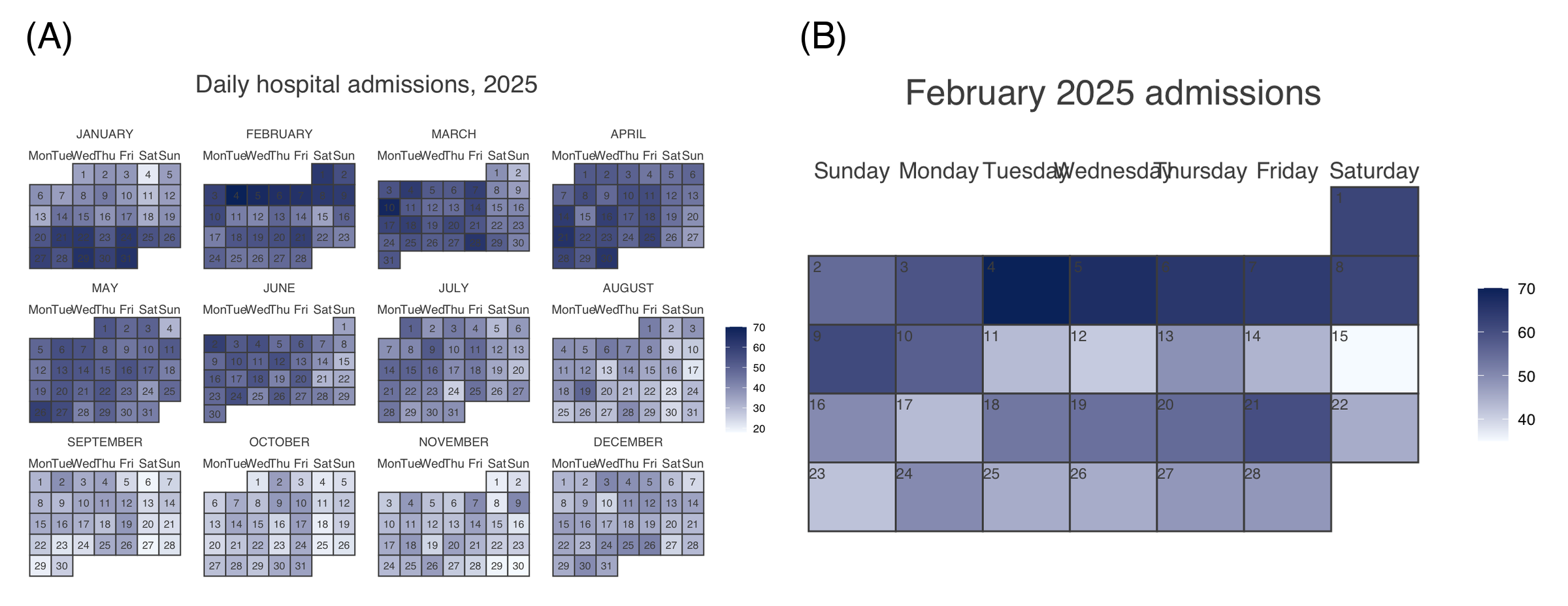
We simulate one year of daily hospital admissions: a winter peak (seasonal sine), a weekend dip, a 3-week influenza surge in late January/February, and day-to-day noise. The manual layout needs three derived columns: weekday number (columns), the day’s row within its month grid (weekday of the 1st + day-of-month, divided by 7), and the month label (facet).
set.seed(251)

dates <- seq(as.Date("2025-01-01"), as.Date("2025-12-31"), by = "day")
base_adm <- 42 + 12 * sin(2 * pi * (yday(dates) - 15) / 365)  # winter peak
weekend  <- ifelse(wday(dates) %in% c(1, 7), -8, 0)           # weekend dip
flu      <- ifelse(dates >= as.Date("2025-01-20") &
                   dates <= as.Date("2025-02-10"), 18, 0)     # flu surge

adm <- data.frame(date = dates,
                  admissions = pmax(5, round(base_adm + weekend + flu +
                                               rnorm(length(dates), 0, 5)))) |>
  mutate(wday_n    = wday(date, week_start = 1),
         dom       = day(date),
         month_n   = month(date),
         month_lab = month(date, label = TRUE, abbr = TRUE))

# weekday of each month's 1st (Mon-based), shifted so day 1 sits in its true column
offsets <- sapply(1:12, function(m) wday(as.Date(sprintf("2025-%02d-01", m)),
                                         week_start = 1) - 1)
adm <- adm |>
  mutate(week_row = ceiling((dom + offsets[month_n]) / 7))

cat("Days:", nrow(adm), "| range:", min(adm$admissions), "-", max(adm$admissions), "\n")
Days: 365 | range: 18 - 70 Visualization
1. Manual Month-by-Month Heatmap
wd_lab <- c("Mon", "Tue", "Wed", "Thu", "Fri", "Sat", "Sun")

ggplot(adm, aes(wday_n, week_row, fill = admissions)) +
  geom_tile(color = "white", linewidth = 0.6) +
  scale_x_continuous(breaks = 1:7, labels = wd_lab, expand = c(0, 0)) +
  scale_y_reverse(breaks = NULL, name = NULL) +
  scale_fill_gradient(low = "#F7FBFF", high = "#08306B", name = "Admissions") +
  facet_wrap(~month_lab, ncol = 4) +
  coord_fixed(ratio = 1) +
  labs(x = NULL, y = NULL,
       title = "Daily hospital admissions, 2025 (simulated)") +
  theme_bw(base_size = 10) +
  theme(strip.text = element_text(face = "bold"),
        panel.grid = element_blank(),
        axis.text.y = element_blank(), axis.ticks.y = element_blank())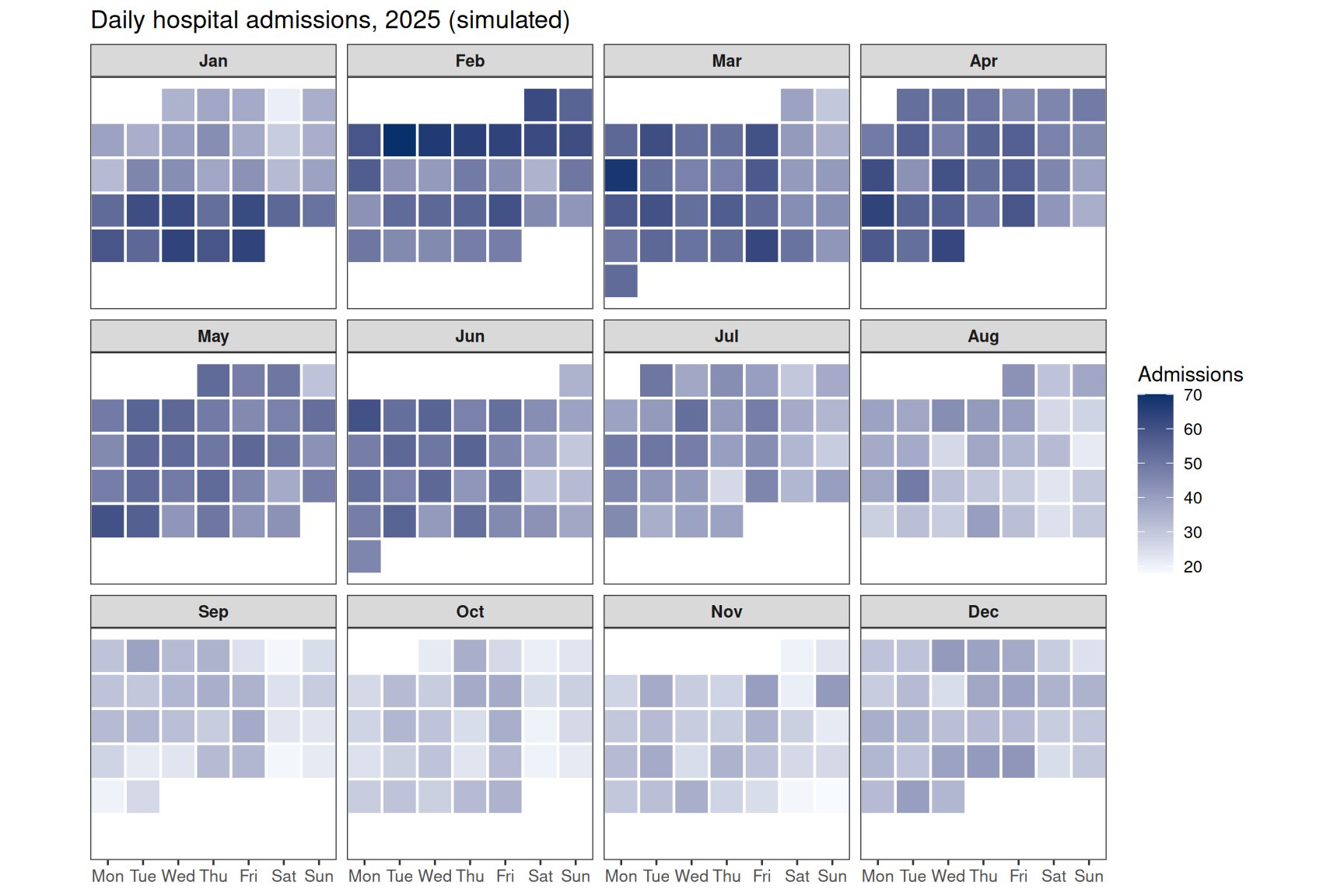
All months share one row grid (a month with 5 weeks simply leaves row 6 empty), which keeps the facets comparable. coord_fixed(ratio = 1) squares the tiles; drop it if labels need more room.
2. One-Line Full-Year Heatmap with calendR
calendR(year = 2025,
        special.days = adm$admissions,   # one value per day of the year
        gradient = TRUE,
        low.col = "#F7FBFF", special.col = "#08306B",
        legend.pos = "right",
        title = "Daily hospital admissions, 2025",
        start = "M")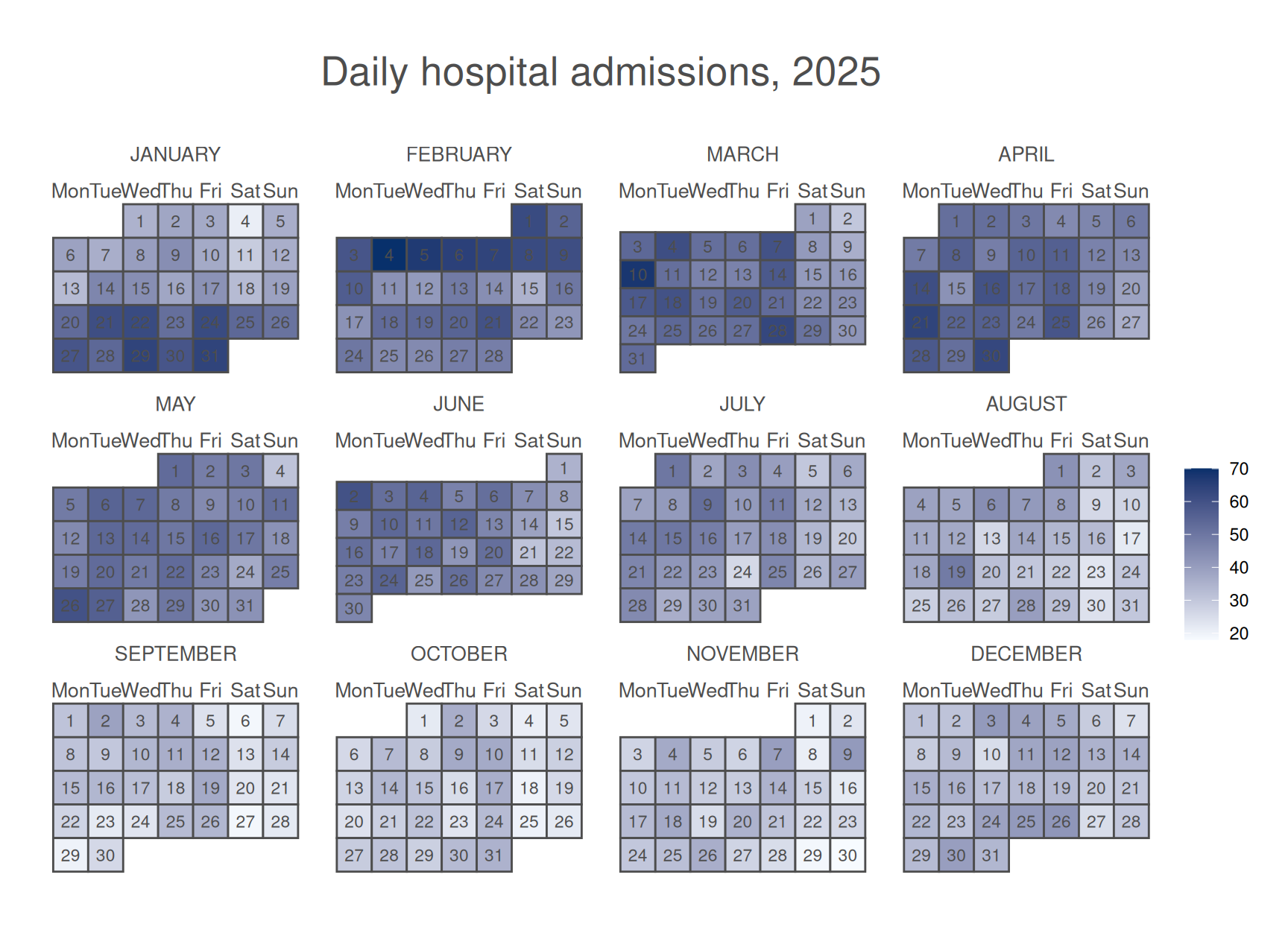
3. Single-Month Detail View
calendR(year = 2025, month = 2,
        special.days = adm$admissions[adm$month_n == 2],
        gradient = TRUE,
        low.col = "#F7FBFF", special.col = "#08306B",
        legend.pos = "right",
        title = "February 2025 admissions")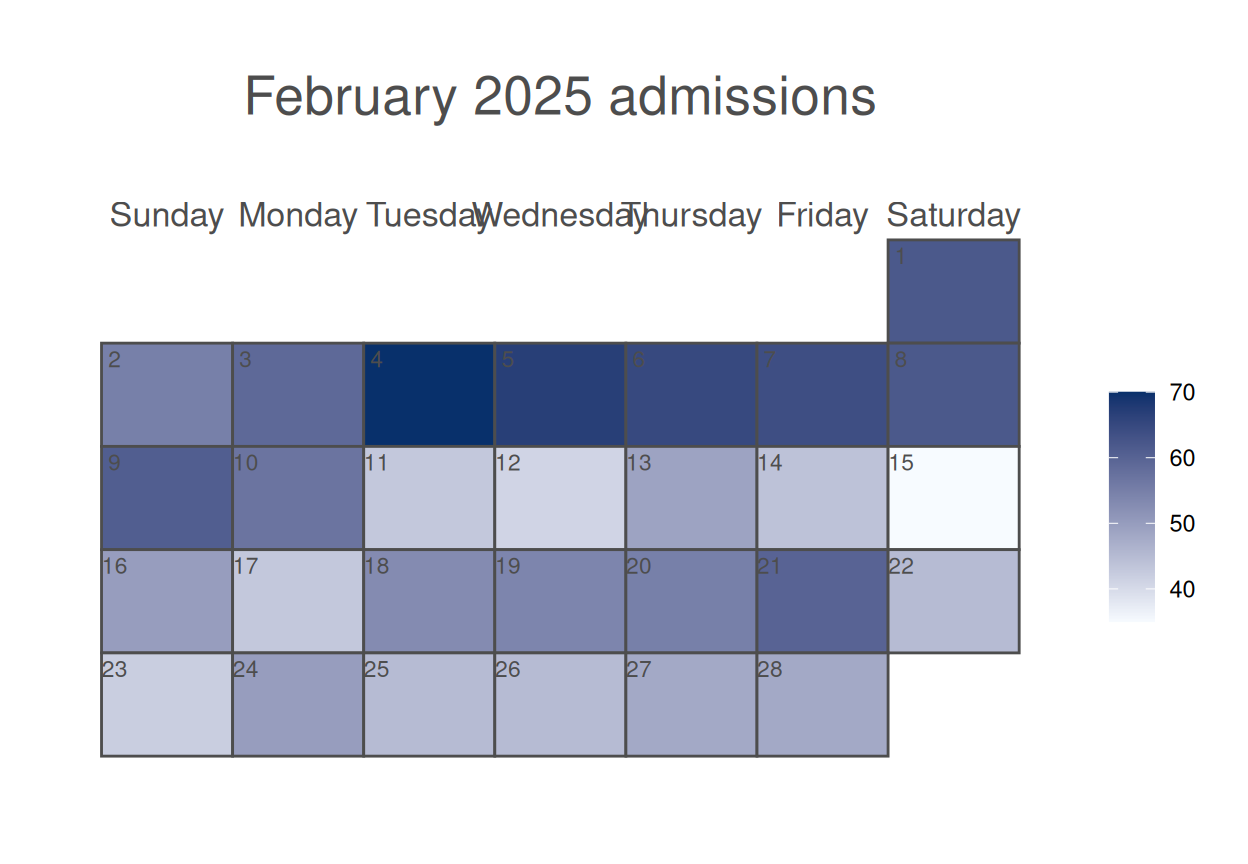
TipPractice tips
- Choose a sequential scale with a meaningful anchor (light = typical, dark = busy); diverging scales are for anomalies against a target, not raw counts.
- The manual layout’s
week_row = ceiling((dom + offset)/7)is what keeps day 1 in its true weekday column — computing rows withisoweek()instead lets months bleed into each other’s weeks. -
calendR’sgradient = TRUEexpects one value per day of the year in calendar order; verify withlength(special.days) == ifelse(leap_year(year), 366, 365). - Annotate known events (outbreaks, strikes, holidays) rather than leaving readers to guess dark blocks.
Application
Calendar heatmaps are standard in health-services and operations dashboards (ED visits, elective-surgery scheduling, bed occupancy), digital-health engagement panels, and environmental-exposure time series. The panel below mirrors a typical report layout: (A) the manual twelve-month grid and (B) the calendR year view.
Reference
[1] Data-to-Viz. Calendar. https://www.data-to-viz.com/graph/calendar.html
[2] Soage González JC. calendR: create ready to print monthly and yearly calendars built with ggplot2. R package version 1.2. 2021. https://CRAN.R-project.org/package=calendR
[3] Grolemund G, Wickham H. Dates and times made easy with lubridate. J Stat Softw. 2011;40(3):1-25. doi:10.18637/jss.v040.i03