import matplotlib.pyplot as plt
import pandas as pd
import numpy as npPie & Donut Plot (Python)
A pie chart shows part-of-whole composition as angular slices; a donut chart replaces the center with an annotation slot. In biomedical research they appear for sample/cohort composition summaries — with the standing caveat that readers judge angles poorly, so pies should stay under ~5 categories and precise comparisons belong in bars. matplotlib builds both from pie().
Example
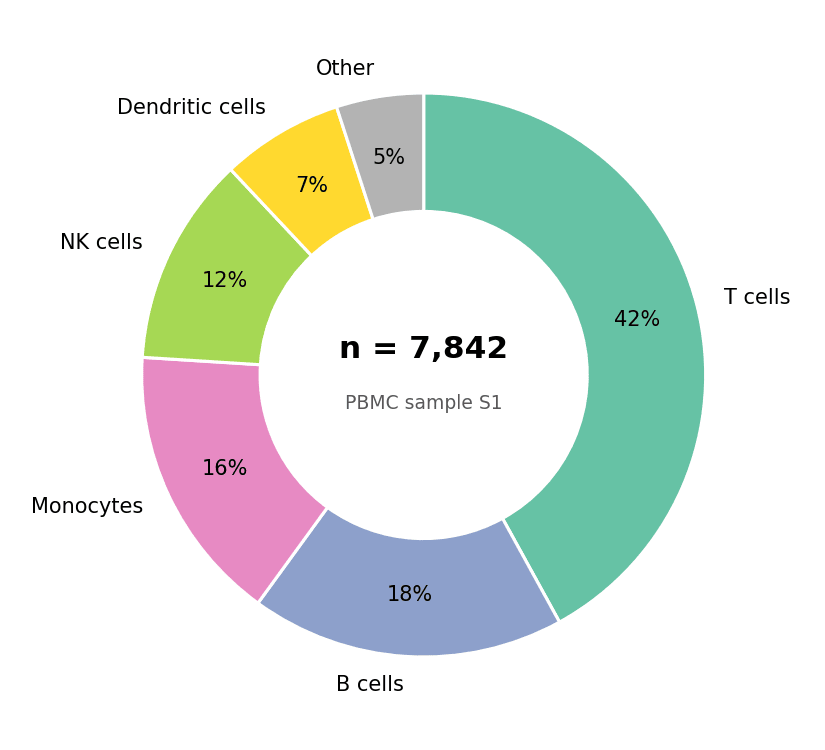
Setup
- System Requirements: Cross-platform (Linux/MacOS/Windows)
- Programming Language: Python
- Dependencies:
matplotlib,pandas,numpy
Data Preparation
We summarize the cell-type composition of one PBMC sample, ordered by abundance — always sort slices before drawing so the chart reads by rank.
composition = pd.Series(
    {'T cells': 0.42, 'B cells': 0.18, 'Monocytes': 0.16,
     'NK cells': 0.12, 'Dendritic cells': 0.07, 'Other': 0.05}
).sort_values(ascending=False)
colors = ['#66c2a5', '#8da0cb', '#e78ac3', '#a6d854', '#ffd92f', '#b3b3b3']
Visualization
Basic Pie Chart
autopct prints each share; startangle=90 and counterclock=False give the conventional clockwise-from-noon layout.
fig, ax = plt.subplots(figsize=(5.5, 5))
ax.pie(composition, labels=composition.index, colors=colors,
       autopct='%.0f%%', startangle=90, counterclock=False,
       wedgeprops=dict(edgecolor='white', linewidth=1.5),
       textprops=dict(fontsize=10))
ax.set_aspect('equal')
plt.tight_layout()
plt.show()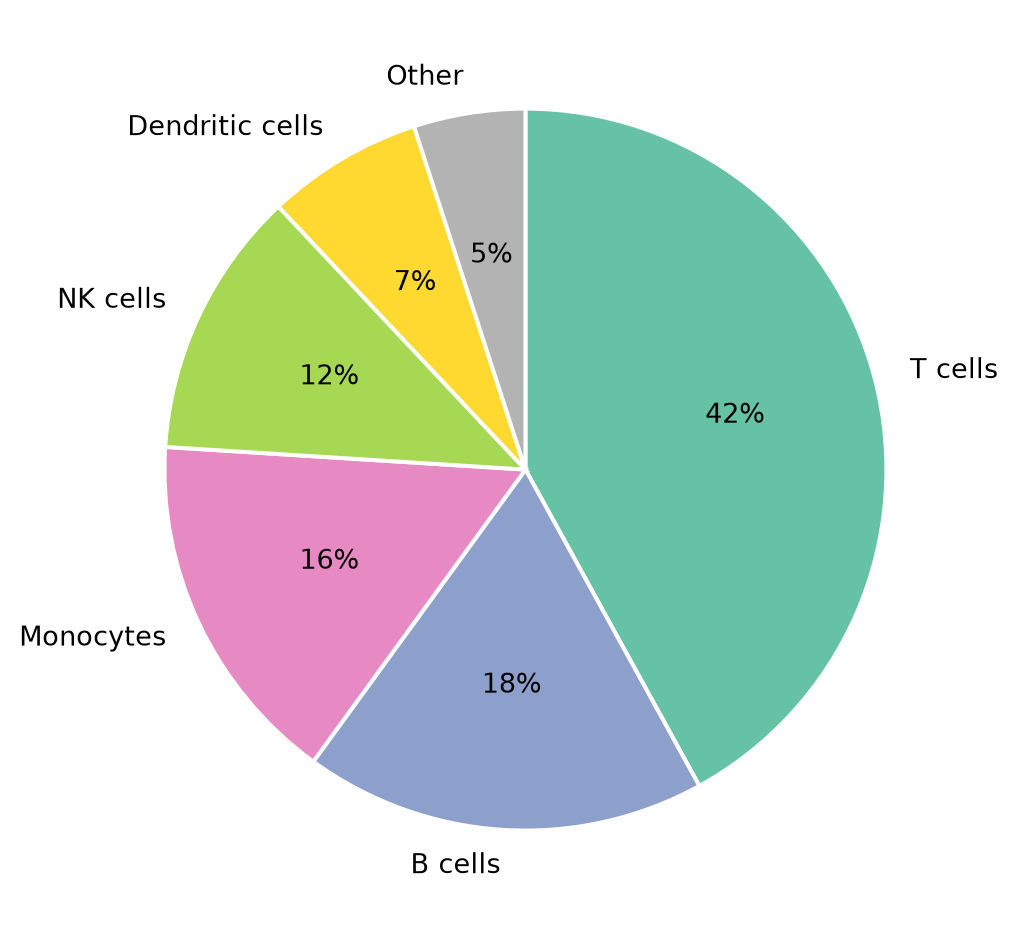
Donut Chart with Center Annotation
wedgeprops=dict(width=...) cuts the hole; the freed center is the natural place for the total (e.g., n cells or n patients).
fig, ax = plt.subplots(figsize=(5.5, 5))
wedges, texts, autotexts = ax.pie(
    composition, labels=composition.index, colors=colors,
    autopct='%.0f%%', pctdistance=0.78, startangle=90, counterclock=False,
    wedgeprops=dict(width=0.42, edgecolor='white', linewidth=1.5),
    textprops=dict(fontsize=10))
ax.text(0, 0.06, 'n = 7,842', ha='center', fontsize=15, fontweight='bold')
ax.text(0, -0.12, 'PBMC sample S1', ha='center', fontsize=9, color='0.35')
ax.set_aspect('equal')
plt.tight_layout()
plt.show()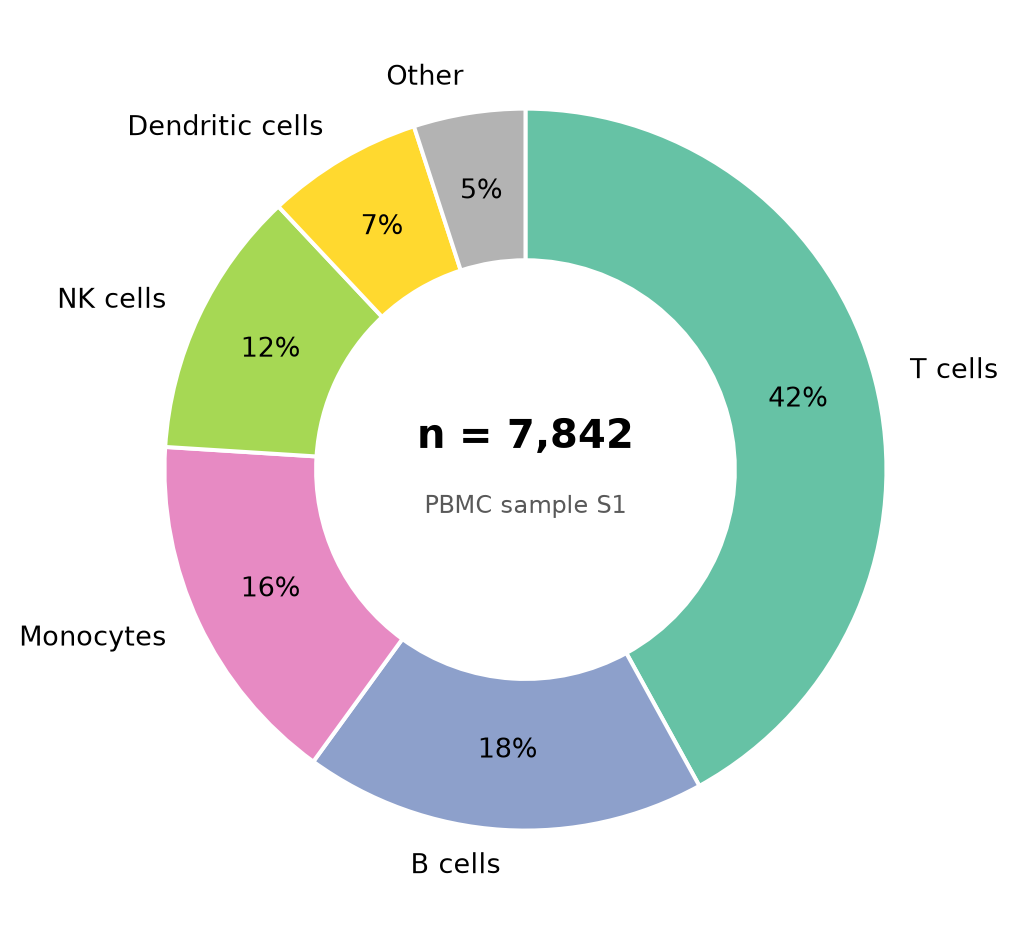
Highlighted Slice
explode offsets one wedge — the standard emphasis device when the message is a single category (“dendritic cells expand after vaccination”).
explode = [0.08 if c == 'Dendritic cells' else 0 for c in composition.index]
shade = ['#b3dee8' if c == 'Dendritic cells' else '#d9d9d9'
         for c in composition.index]

fig, ax = plt.subplots(figsize=(5.5, 5))
ax.pie(composition, explode=explode, colors=shade,
       autopct='%.0f%%', pctdistance=0.75, startangle=90, counterclock=False,
       wedgeprops=dict(width=0.42, edgecolor='white', linewidth=1.5),
       textprops=dict(fontsize=10))
ax.legend(wedges, composition.index, frameon=False,
          loc='center left', bbox_to_anchor=(1.0, 0.5))
ax.set_aspect('equal')
plt.tight_layout()
plt.show()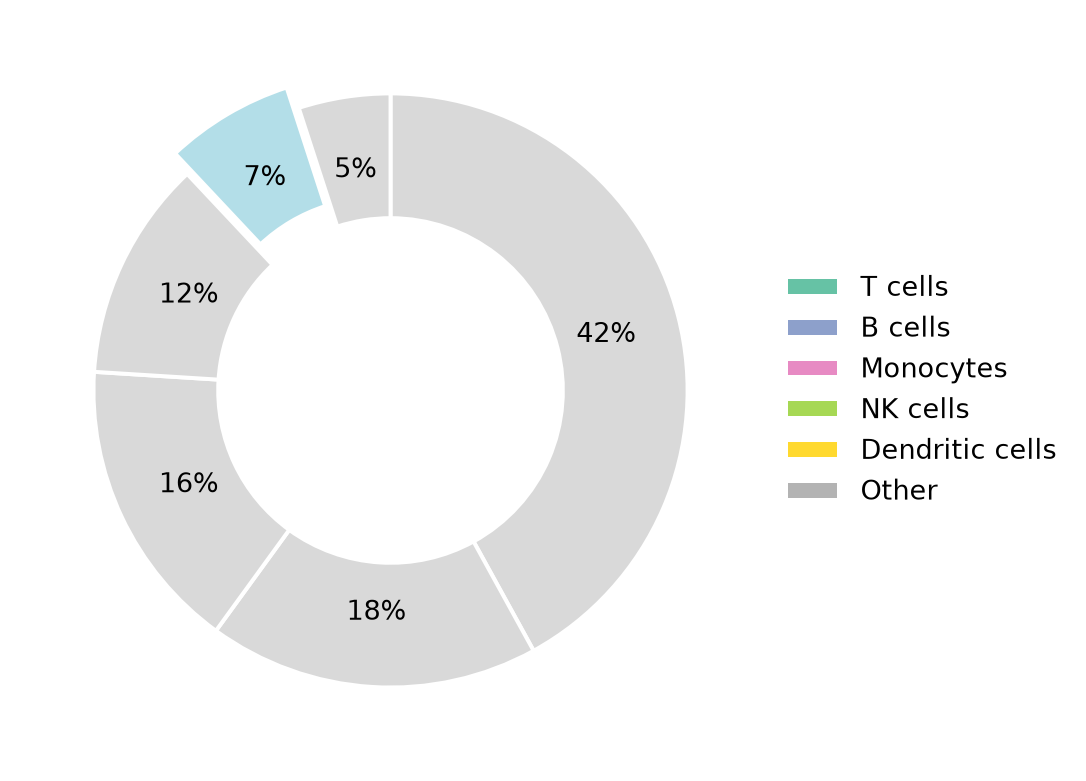
References
- Hunter, J. D. (2007). Matplotlib: A 2D graphics environment. Computing in Science & Engineering, 9(3), 90-95.
- From Data to Viz. Pie chart. https://www.data-to-viz.com/caveat/pie.html