import matplotlib.pyplot as plt
import seaborn as sns
import pandas as pd
import numpy as npMulti-Panel Figures (Python)
Journal figures are composites: a main panel plus marginals, or lettered panels a–d assembled into one exported file. matplotlib’s GridSpec controls exact panel geometry (including spanning and insets), and subfigures groups axes so shared styling and titles apply per panel block — the two tools behind virtually every multi-panel Nature-style figure.
Example
Setup
- System Requirements: Cross-platform (Linux/MacOS/Windows)
- Programming Language: Python
- Dependencies:
matplotlib,seaborn,pandas,numpy
Data Preparation
We simulate a two-marker cytometry measurement with three populations, reused across the panel layouts.
np.random.seed(211)

n = 3000
pop = np.random.choice(3, n, p=[0.45, 0.33, 0.22])
centers = [(-0.5, -0.3), (0.6, 0.5), (1.3, -0.7)]
covs = [np.array([[0.14, 0.03], [0.03, 0.12]]),
        np.array([[0.10, -0.02], [-0.02, 0.09]]),
        np.array([[0.12, 0.01], [0.01, 0.10]])]
xy = np.stack([np.random.multivariate_normal(centers[s], covs[s]) for s in pop])
cells = pd.DataFrame(xy, columns=['CD4', 'CD8'])
cells['Population'] = np.array(['P1', 'P2', 'P3'])[pop]
Visualization
GridSpec Composite with Marginals
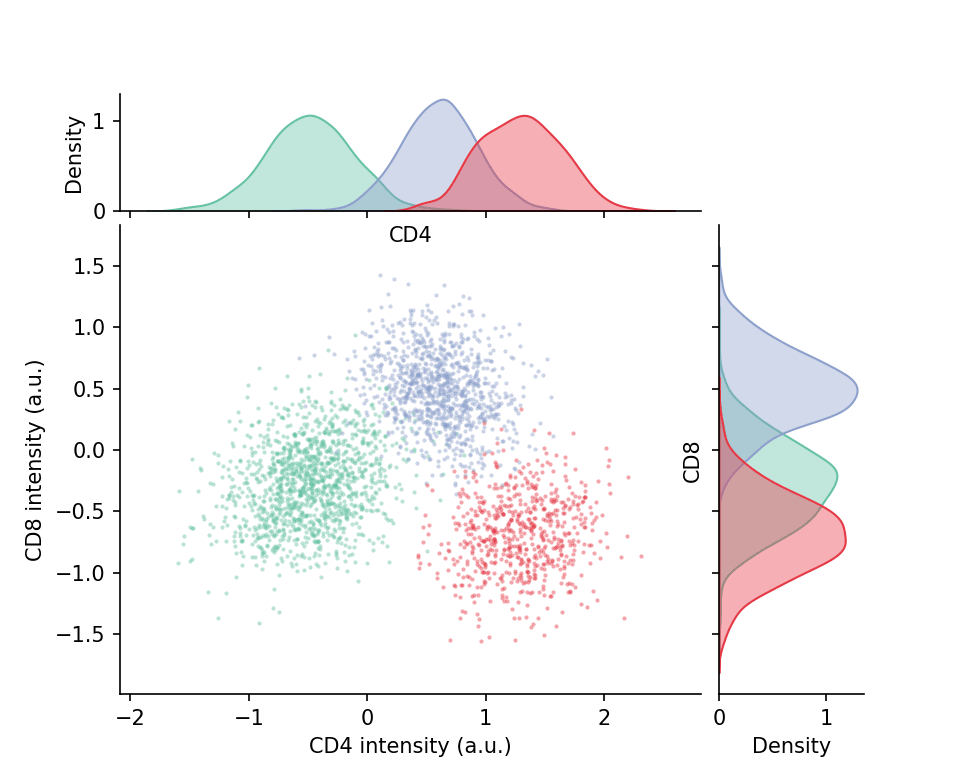
A 2×2 GridSpec with width_ratios/height_ratios puts the main scatter top-left and squeezes marginal histograms beside it — the classic scatter-plus-marginals assembly built by hand.
fig = plt.figure(figsize=(6.4, 5.2))
gs = fig.add_gridspec(2, 2, width_ratios=[4, 1], height_ratios=[1, 4],
                      hspace=0.05, wspace=0.05)
ax_main = fig.add_subplot(gs[1, 0])
ax_top = fig.add_subplot(gs[0, 0], sharex=ax_main)
ax_right = fig.add_subplot(gs[1, 1], sharey=ax_main)

palette = {'P1': '#66c2a5', 'P2': '#8da0cb', 'P3': '#e63946'}
for p_name, sub in cells.groupby('Population'):
    ax_main.scatter(sub.CD4, sub.CD8, s=4, alpha=0.45,
                    color=palette[p_name], linewidths=0)
    sns.kdeplot(x=sub.CD4, ax=ax_top, color=palette[p_name], fill=True,
                alpha=0.4, linewidth=1)
    sns.kdeplot(y=sub.CD8, ax=ax_right, color=palette[p_name], fill=True,
                alpha=0.4, linewidth=1)
ax_top.tick_params(labelbottom=False)
ax_right.tick_params(labelleft=False)
ax_main.set_xlabel('CD4 intensity (a.u.)')
ax_main.set_ylabel('CD8 intensity (a.u.)')
for ax in (ax_main, ax_top, ax_right):
    ax.spines[['top', 'right']].set_visible(False)
plt.show()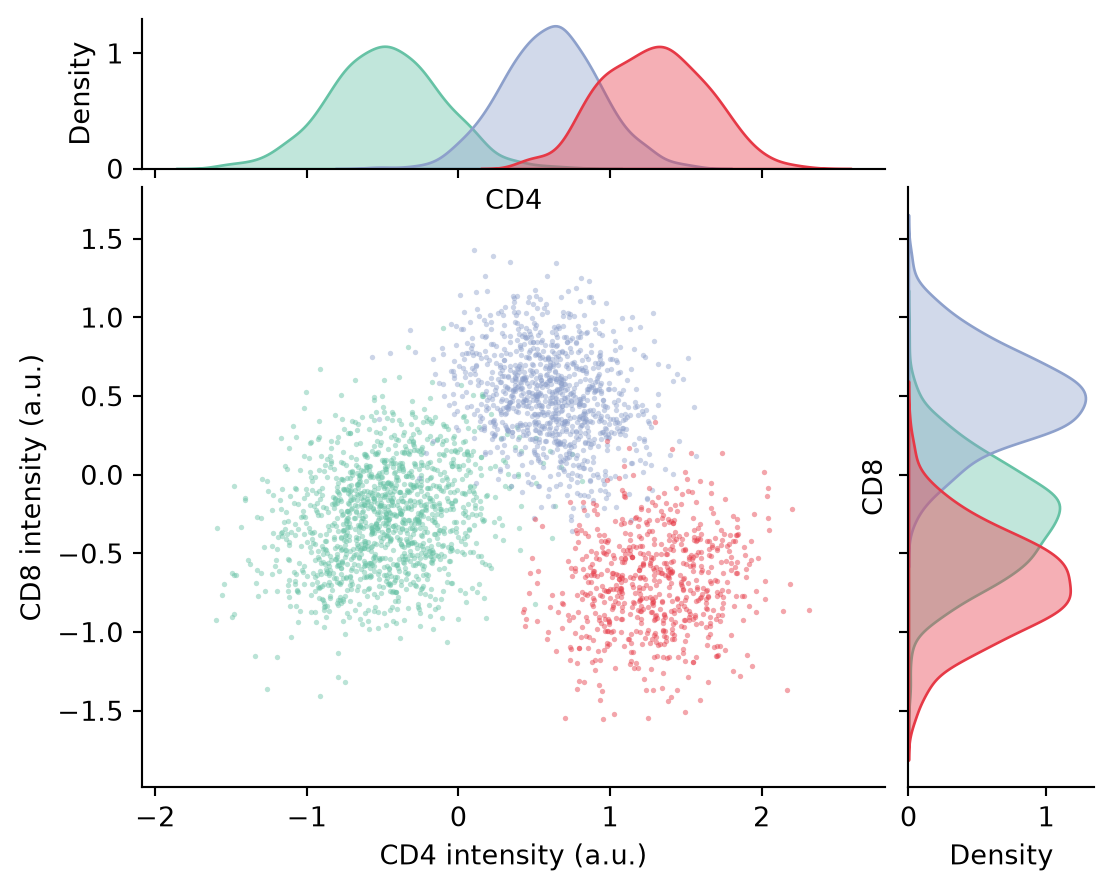
Lettered Panels with Subfigures
subfigures gives each block its own suptitle-friendly label space; panel letters (a) (b) are placed in figure coordinates exactly where journals expect them.
fig = plt.figure(figsize=(8.6, 3.8))
subfigs = fig.subfigures(1, 2, wspace=0.08)

# (a) marker histograms
axA = subfigs[0].subplots(1, 2, sharey=True)
for ax, marker in zip(axA, ['CD4', 'CD8']):
    for p_name, sub in cells.groupby('Population'):
        sns.kdeplot(sub[marker], ax=ax, color=palette[p_name],
                    fill=True, alpha=0.35, linewidth=1.2)
    ax.set_title(marker, fontsize=10)
    ax.spines[['top', 'right']].set_visible(False)
subfigs[0].suptitle('(a) Marker distributions', x=0.02, ha='left',
                    fontweight='bold', fontsize=11)

# (b) population means with SEM
axB = subfigs[1].subplots(1, 1)
summary = cells.groupby('Population').agg(['mean', 'sem'])
for i, marker in enumerate(['CD4', 'CD8']):
    m, e = summary[(marker, 'mean')], summary[(marker, 'sem')]
    axB.errorbar(np.arange(3) + (i - 0.5) * 0.18, m, yerr=e * 1.96,
                 fmt='o', capsize=3, color=['#8da0cb', '#e63946'][i],
                 label=marker)
axB.set_xticks(range(3), ['P1', 'P2', 'P3'])
axB.set_ylabel('Mean intensity (a.u.)')
axB.legend(frameon=False, fontsize=9)
axB.spines[['top', 'right']].set_visible(False)
subfigs[1].suptitle('(b) Population means ± 95% CI', x=0.02, ha='left',
                    fontweight='bold', fontsize=11)

plt.show()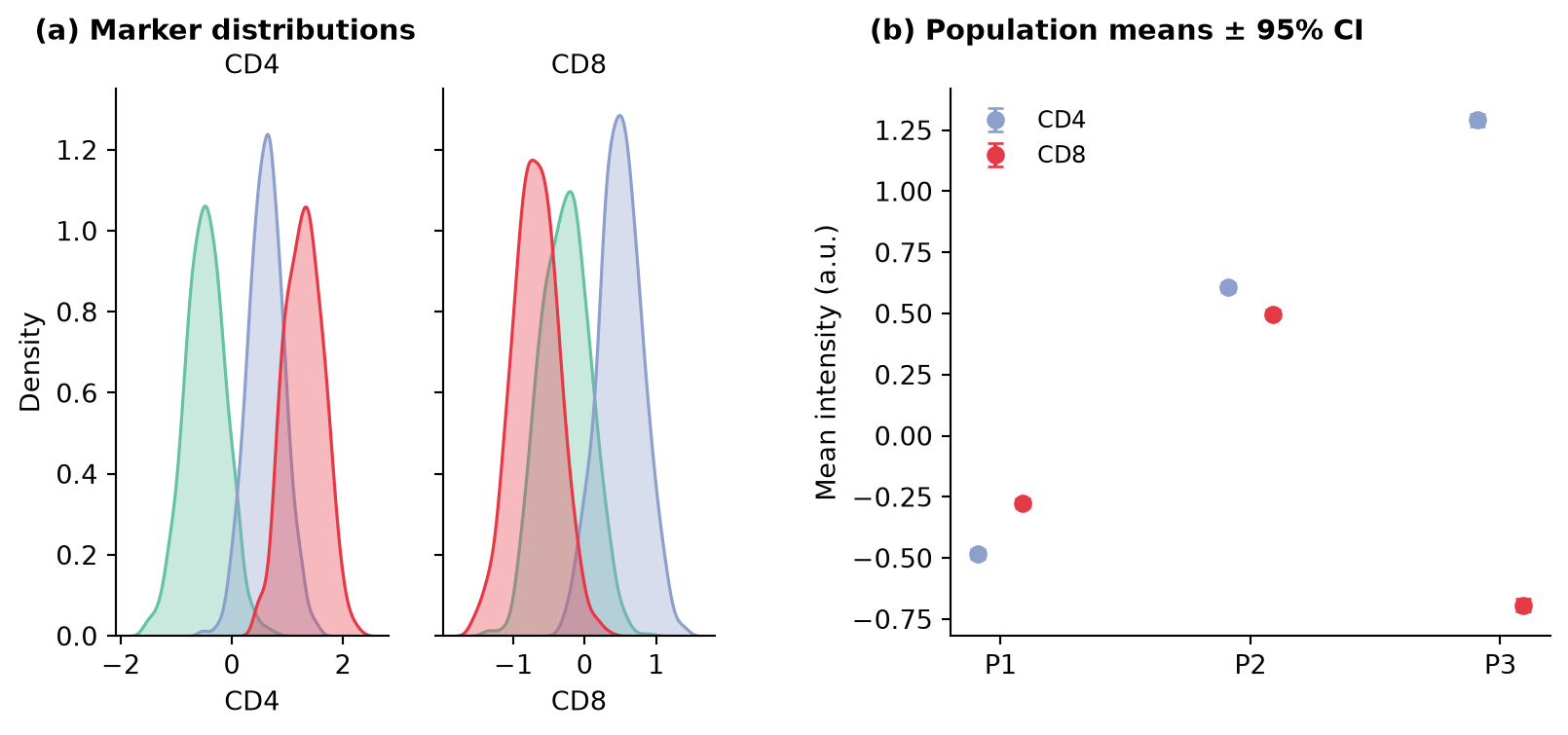
References
- Hunter, J. D. (2007). Matplotlib: A 2D graphics environment. Computing in Science & Engineering, 9(3), 90-95.
- Griffin, E. matplotlib subfigures. https://matplotlib.org/stable/gallery/subplots_axes_and_figures/subfigures.html