import matplotlib.pyplot as plt
import seaborn as sns
import pandas as pd
import numpy as npBivariate Density Plot (Python)
When a scatter has thousands of points, overplotting destroys it; bivariate density displays replace the dots with estimated density (filled KDE or contours) or binned counts (hexbin). In biomedical research these are the everyday answer to dense flow-cytometry panels, embeddings, and QC metric clouds. seaborn.kdeplot and matplotlib.hexbin cover both families.
Example
Setup
- System Requirements: Cross-platform (Linux/MacOS/Windows)
- Programming Language: Python
- Dependencies:
matplotlib,seaborn,pandas,numpy
Data Preparation
We simulate a 20,000-cell two-marker cytometry measurement with three lymphocyte populations whose separation is only visible in density form.
np.random.seed(111)

n = 20000
sub = np.random.choice(3, n, p=[0.5, 0.3, 0.2])
centers = [(-0.6, -0.4), (0.5, 0.7), (1.4, -0.9)]
covs = [np.array([[0.18, 0.05], [0.05, 0.15]]),
        np.array([[0.12, -0.03], [-0.03, 0.10]]),
        np.array([[0.15, 0.02], [0.02, 0.12]])]
xy = np.stack([rng for rng in
               [np.random.multivariate_normal(centers[s], covs[s]) for s in sub]])
cells = pd.DataFrame(xy, columns=['CD4', 'CD8'])
Visualization
Filled 2D KDE
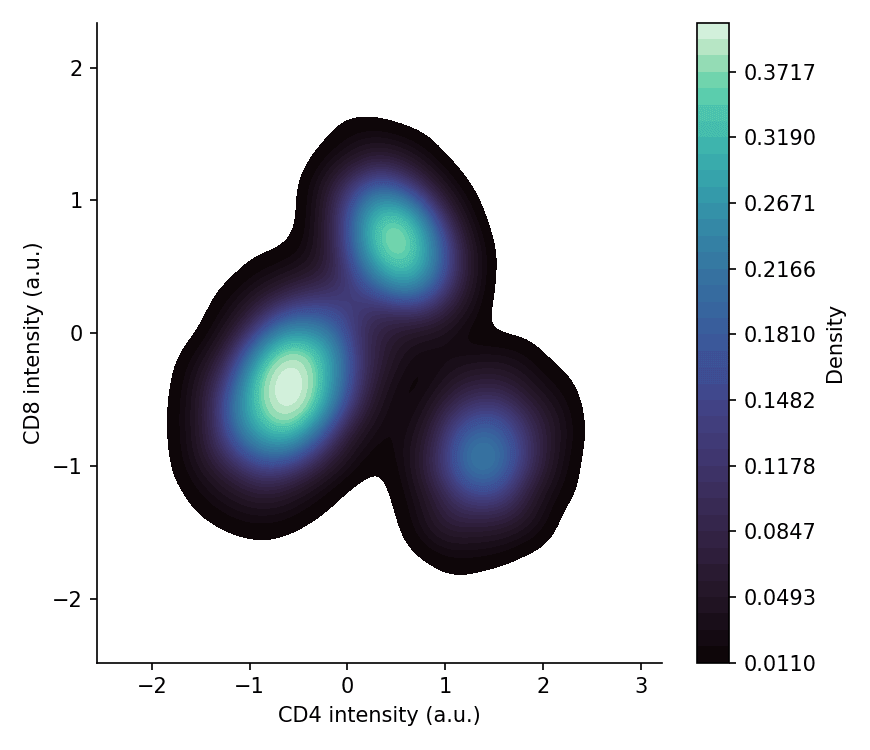
A filled kernel density estimate shows population shapes smoothly; raising thresh removes the thin outermost tails that only add noise.
fig, ax = plt.subplots(figsize=(5.8, 5))
sns.kdeplot(data=cells, x='CD4', y='CD8', fill=True, thresh=0.02,
            levels=40, cmap='mako', cbar=True,
            cbar_kws=dict(label='Density'), ax=ax)
ax.set_xlabel('CD4 intensity (a.u.)')
ax.set_ylabel('CD8 intensity (a.u.)')
ax.spines[['top', 'right']].set_visible(False)
plt.tight_layout()
plt.show()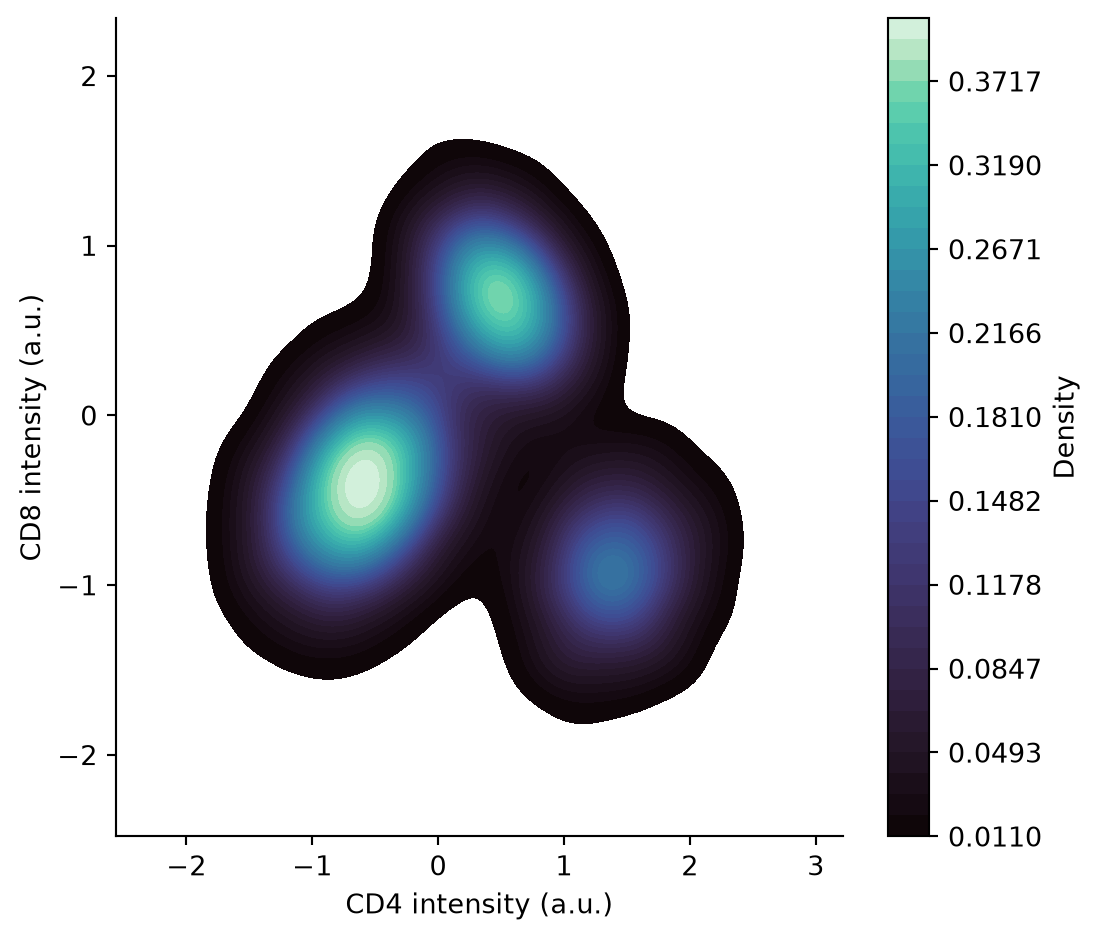
Hexbin Plot
Hexagonal bins count points directly — no smoothing assumptions, and the colour bar keeps the mapping honest. The right gridsize balances resolution against empty bins.
fig, ax = plt.subplots(figsize=(5.8, 5))
hb = ax.hexbin(cells['CD4'], cells['CD8'], gridsize=60, cmap='viridis',
               mincnt=1, linewidths=0.1)
cb = fig.colorbar(hb, ax=ax, shrink=0.85)
cb.set_label('Cell count')
ax.set_xlabel('CD4 intensity (a.u.)')
ax.set_ylabel('CD8 intensity (a.u.)')
ax.spines[['top', 'right']].set_visible(False)
plt.tight_layout()
plt.show()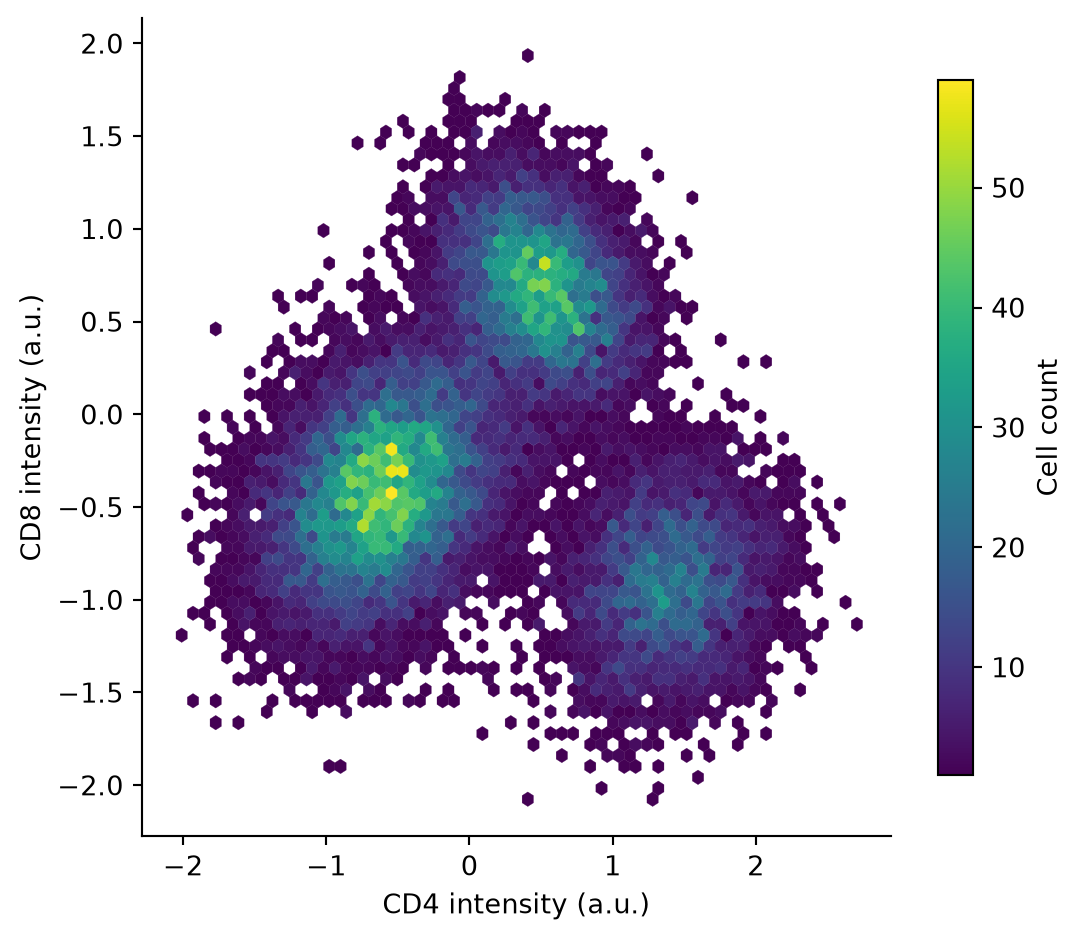
Contours over a Sparse Scatter
For gated subpopulations, draw filled contours per group and overlay a light scatter of a subsample — the gates stay interpretable while the full density remains visible.
cells['Population'] = np.array(['P1', 'P2', 'P3'])[sub]
palette = {'P1': '#66c2a5', 'P2': '#8da0cb', 'P3': '#e63946'}

fig, ax = plt.subplots(figsize=(5.8, 5))
sns.kdeplot(data=cells, x='CD4', y='CD8', hue='Population', palette=palette,
            fill=False, levels=6, linewidths=1.6, thresh=0.03, ax=ax)
sub_sample = cells.sample(frac=0.02, random_state=0)
sns.scatterplot(data=sub_sample, x='CD4', y='CD8', hue='Population',
                palette=palette, s=8, alpha=0.5, legend=False, ax=ax)
ax.set_xlabel('CD4 intensity (a.u.)')
ax.set_ylabel('CD8 intensity (a.u.)')
ax.spines[['top', 'right']].set_visible(False)
plt.tight_layout()
plt.show()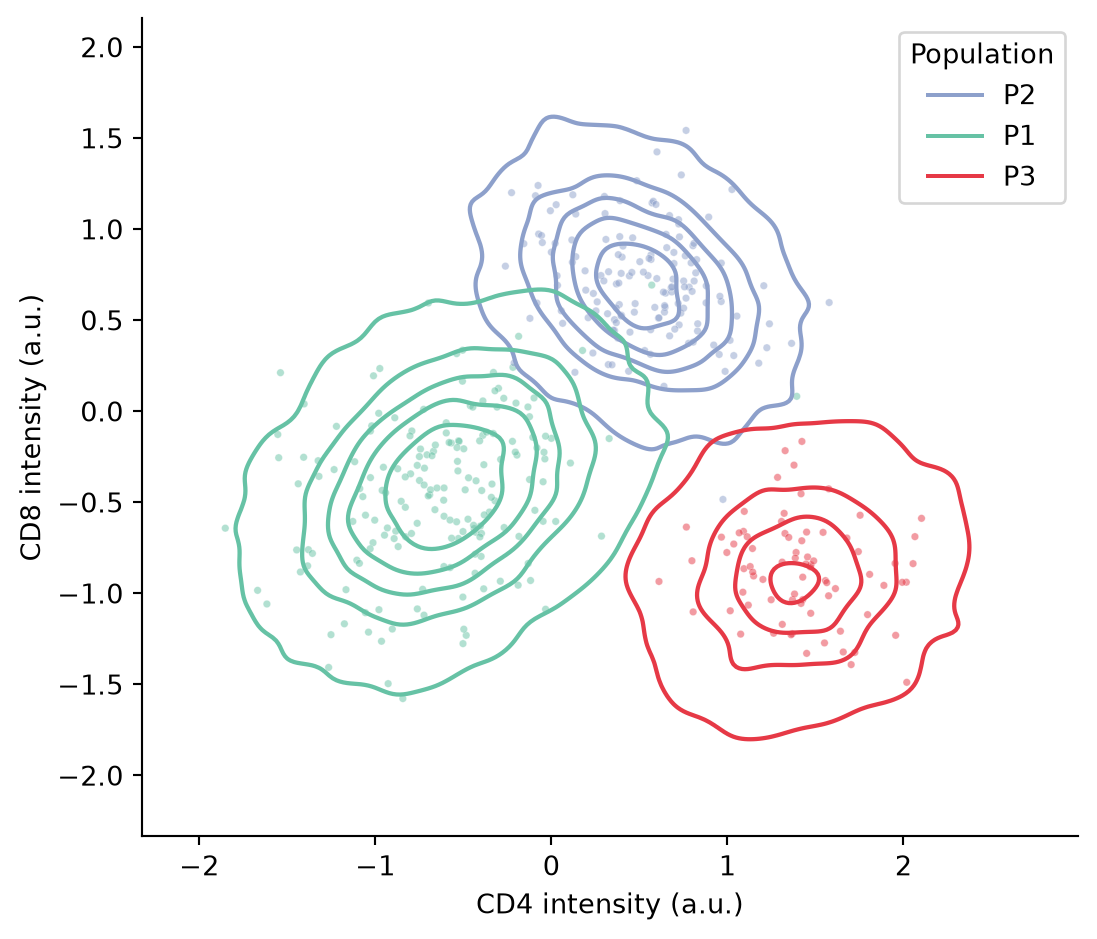
References
- Waskom, M. L. (2021). seaborn: statistical data visualization. Journal of Open Source Software, 6(60), 3021.
- Hunter, J. D. (2007). Matplotlib: A 2D graphics environment. Computing in Science & Engineering, 9(3), 90-95.