import matplotlib.pyplot as plt
import scanpy as sc
import pandas as pd
import numpy as np

sc.settings.verbosity = 0
sc.settings.set_figure_params(dpi=90, facecolor='white')scRNA-seq UMAP (Python)
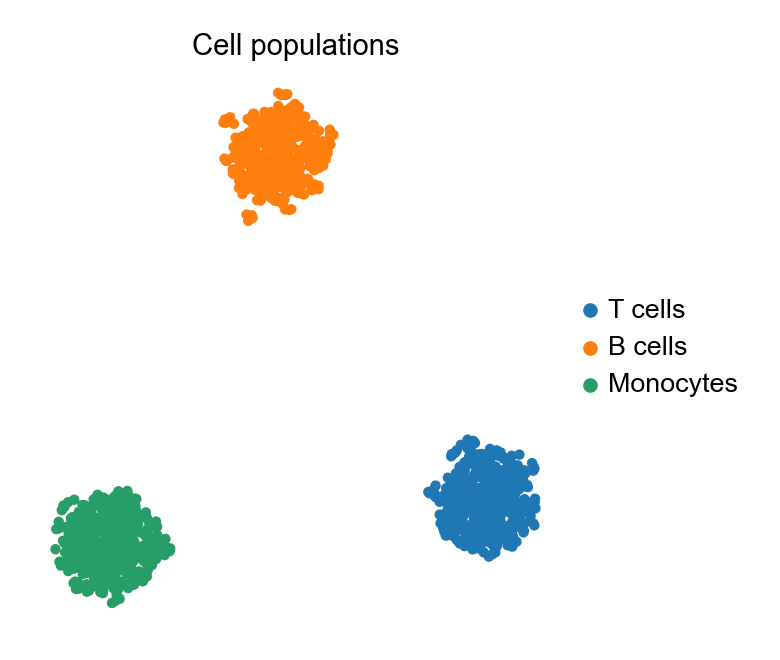
The UMAP embedding is the single-cell atlas figure: thousands of cells in two dimensions, coloured by cluster or by marker expression, making populations and states visible at a glance. scanpy carries the preprocessing chain (normalise → log → scale → PCA → neighbours → UMAP) and the plotting in one consistent API.
Example
Setup
- System Requirements: Cross-platform (Linux/MacOS/Windows)
- Programming Language: Python
- Dependencies:
scanpy,anndata,pandas,numpy,umap-learn,matplotlib
Data Preparation
We simulate a 1,200-cell PBMC-style dataset: 30 genes, three populations with distinct marker programmes, in an AnnData object — the container every scanpy step operates on.
np.random.seed(241)

n_per = 400
genes = [f'Gene{i:02d}' for i in range(1, 31)]
blocks = {
    'T cells':   (0, 10),
    'B cells':   (10, 20),
    'Monocytes': (20, 30),
}
counts = np.zeros((n_per * 3, 30))
labels = []
for i, (cell_type, (lo, hi)) in enumerate(blocks.items()):
    sl = slice(i * n_per, (i + 1) * n_per)
    counts[sl] = np.random.negative_binomial(4, 0.3, (n_per, 30))
    counts[sl, lo:hi] += np.random.negative_binomial(8, 0.2, (n_per, hi - lo))
    labels += [cell_type] * n_per

adata = sc.AnnData(counts.astype(np.float32))
adata.var_names = genes
adata.obs['CellType'] = pd.Categorical(labels, categories=blocks)

sc.pp.normalize_total(adata, target_sum=1e4)
sc.pp.log1p(adata)
sc.pp.scale(adata, max_value=10)
sc.tl.pca(adata, n_comps=15)
sc.pp.neighbors(adata, n_neighbors=15)
sc.tl.umap(adata)
Visualization
UMAP Coloured by Cluster
One call embeds and colours; frameon=False and a compact legend keep the focus on the populations.
fig, ax = plt.subplots(figsize=(5.2, 4.4))
sc.pl.umap(adata, color='CellType', ax=ax, show=False,
           frameon=False, title='Cell populations')
plt.tight_layout()
plt.show()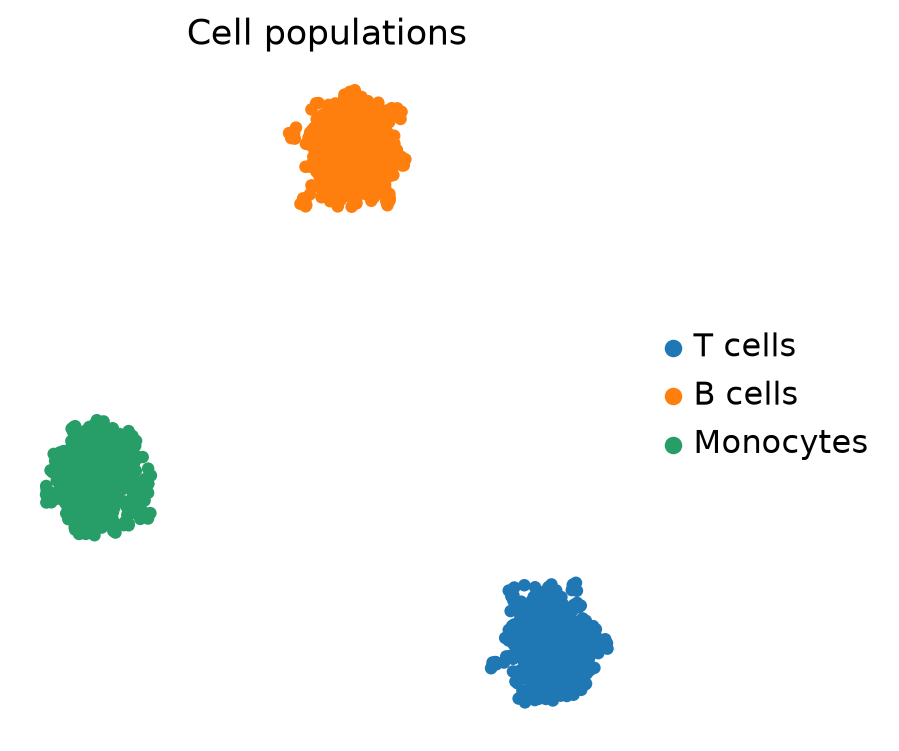
Feature Plot: Marker Expression on the Embedding
Colouring the same embedding by a marker gene shows where it is expressed — the standard companion to the cluster view.
fig, ax = plt.subplots(figsize=(5.2, 4.4))
sc.pl.umap(adata, color='Gene15', ax=ax, show=False, frameon=False,
           title='Gene15 expression', cmap='magma', vmin=0)
plt.tight_layout()
plt.show()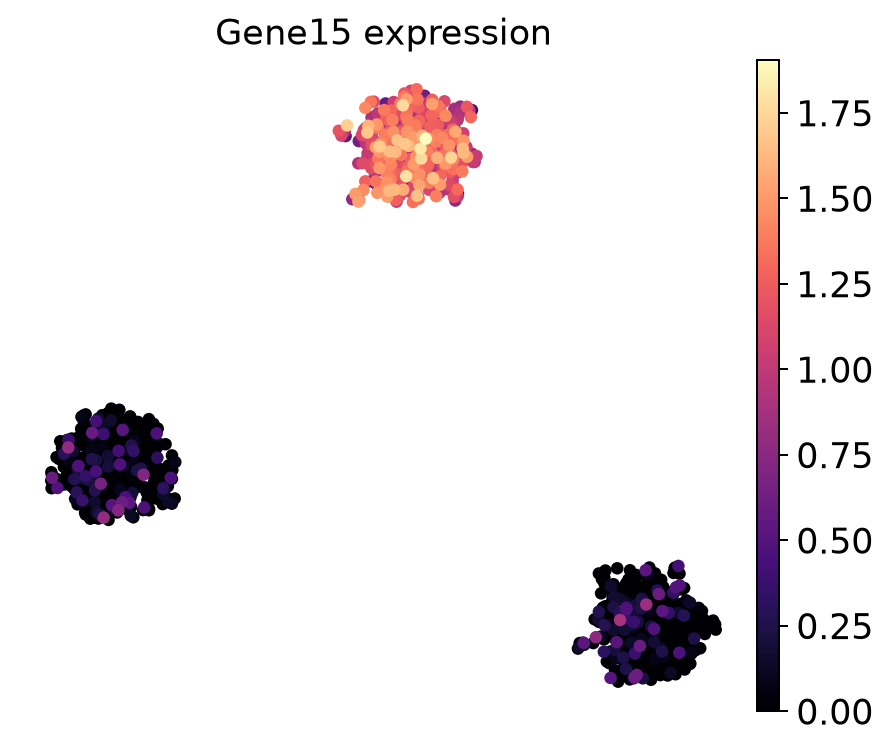
References
- Wolf, F. A., Angerer, P., & Theis, F. J. (2018). SCANPY: large-scale single-cell gene expression data analysis. Genome Biology, 19, 15.
- Becht, E., et al. (2019). Dimensionality reduction for visualizing single-cell data using UMAP. Nature Biotechnology, 37(1), 38-44.