# Install packages
if (!requireNamespace("flow", quietly = TRUE)) {
  install.packages("flow")
}

# Load packages
library(flow)R Script Flow
Note
Hiplot website
This page is the tutorial for source code version of the Hiplot R Script Flow plugin. You can also use the Hiplot website to achieve no code ploting. For more information please see the following link:
R script flow can realize the visual window of if, else and other logic functions.
Setup
System Requirements: Cross-platform (Linux/MacOS/Windows)
Programming language: R
Dependent packages:
flow
sessioninfo::session_info("attached")─ Session info ───────────────────────────────────────────────────────────────
setting value
version R version 4.6.0 (2026-04-24)
os Ubuntu 24.04.4 LTS
system x86_64, linux-gnu
ui X11
language (EN)
collate C.UTF-8
ctype C.UTF-8
tz UTC
date 2026-05-09
pandoc 3.1.3 @ /usr/bin/ (via rmarkdown)
quarto 1.9.37 @ /usr/local/bin/quarto
─ Packages ───────────────────────────────────────────────────────────────────
package * version date (UTC) lib source
flow * 0.2.0 2023-06-06 [1] RSPM
[1] /home/runner/work/_temp/Library
[2] /opt/R/4.6.0/lib/R/site-library
[3] /opt/R/4.6.0/lib/R/library
* ── Packages attached to the search path.
──────────────────────────────────────────────────────────────────────────────Data Preparation
The loaded data are if, else function code of R.
# Load data
code <- function(){
  if (x < 10) {
    a <- 1
  } else {
    a <- 2
  }
  if (a == 2) {
    c <- d
  } else {
    d <- a
  }
}
Visualization
# R Script Flow
p <- flow_view(code)

p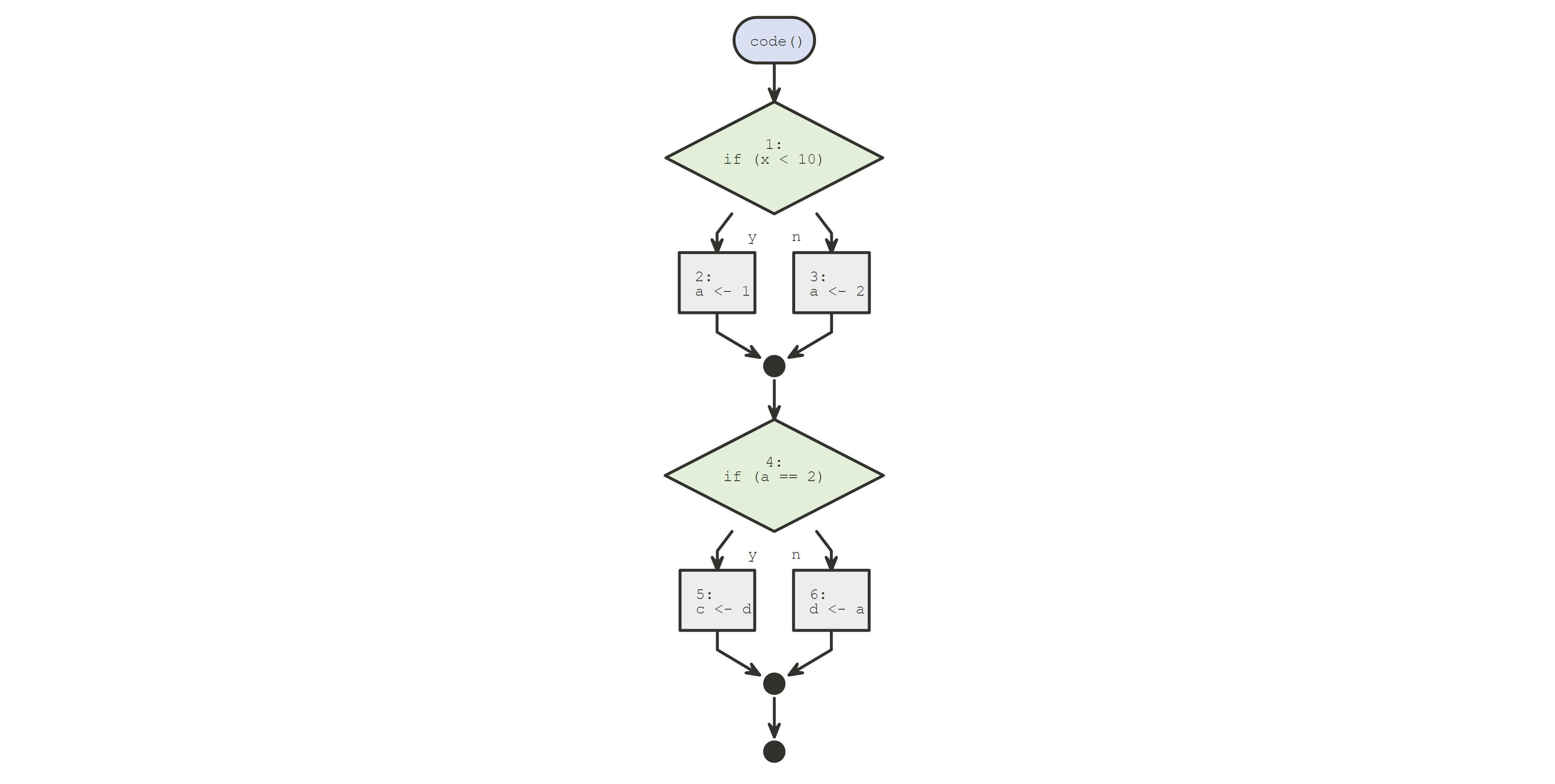
The graph shows that if the variable x<10, a =1, if the variable x>10, a = 2;If a is equal to 2, then c is equal to d, if a is not equal to 2, then d is equal to a.