import matplotlib.pyplot as plt
import seaborn as sns
import pandas as pd
import numpy as npHistogram & Density Plot (Python)
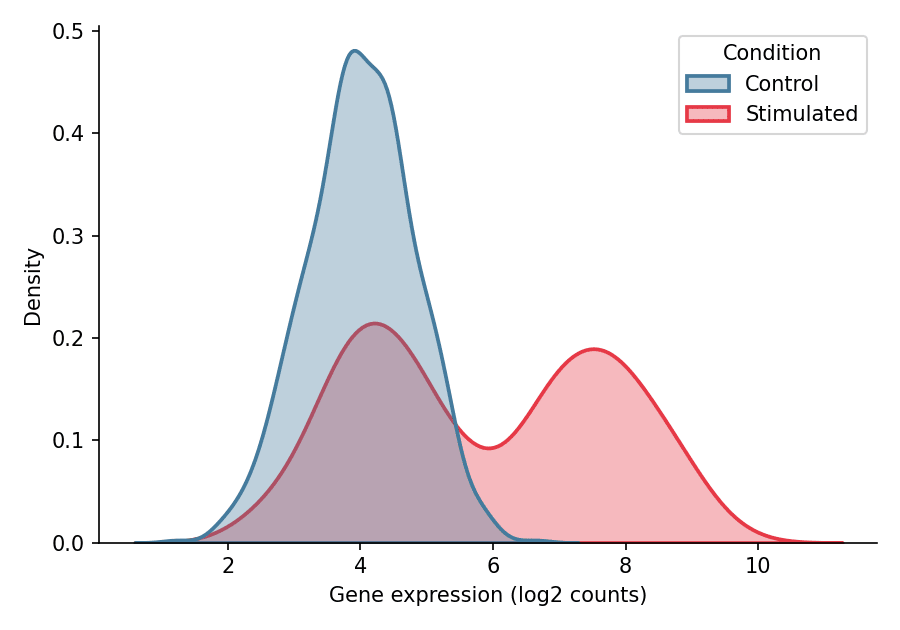
Histograms and kernel density estimates (KDE) reveal the shape of a distribution — modality, skewness, and spread that summary statistics conceal. In biomedical research they are routinely used to inspect gene expression distributions, fluorescence intensity profiles, and quality-control metrics before statistical modeling. Python’s seaborn provides histogram, density, and empirical CDF displays in a single consistent interface.
Example
Setup
- System Requirements: Cross-platform (Linux/MacOS/Windows)
- Programming Language: Python
- Dependencies:
matplotlib,seaborn,pandas,numpy
Data Preparation
We simulate the expression of one gene measured in control and stimulated conditions. The stimulated condition is a mixture of two cell subpopulations, producing the bimodality that histograms and KDE are designed to expose.
np.random.seed(11)

n = 800
expr = np.concatenate([
    np.random.normal(4.0, 0.8, n),        # control
    np.random.normal(4.2, 0.8, n // 2),   # stimulated, subpopulation A
    np.random.normal(7.5, 0.9, n // 2),   # stimulated, subpopulation B
])
df = pd.DataFrame({
    'Expression': expr,
    'Condition': np.repeat(['Control', 'Stimulated'], [n, n])
})
Visualization
Histogram
Bin width controls the bias–variance trade-off: too few bins hide structure, too many amplify noise. Compare bins=15 with finer settings when in doubt.
plt.figure(figsize=(6, 4.2))
ax = sns.histplot(data=df, x='Expression', bins=30,
                  color='#8da0cb', edgecolor='white', linewidth=0.6)
ax.set_xlabel('Gene expression (log2 counts)')
ax.set_ylabel('Count')
ax.spines[['top', 'right']].set_visible(False)
plt.tight_layout()
plt.show()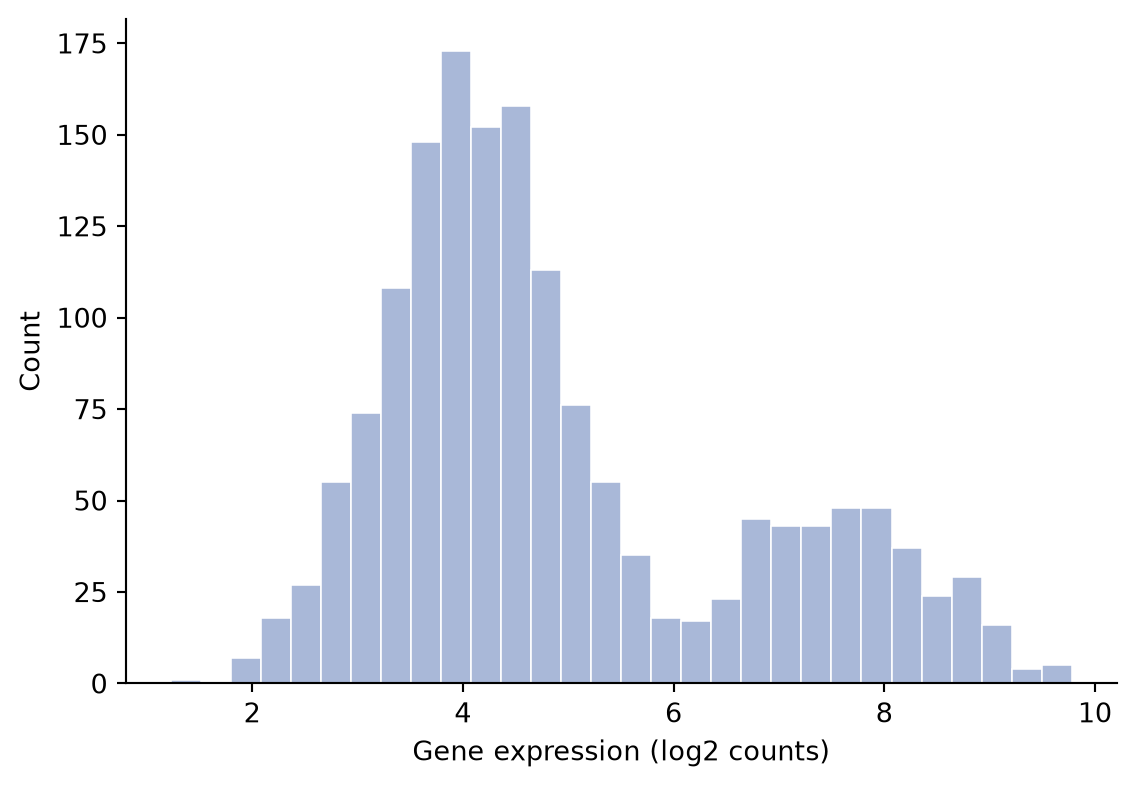
Histogram with KDE Overlay
A kernel density estimate drawn on the count axis outlines the distribution while the bars keep the raw counts visible.
plt.figure(figsize=(6, 4.2))
ax = sns.histplot(data=df, x='Expression', bins=30, kde=True,
                  color='#66c2a5', edgecolor='white', linewidth=0.6,
                  line_kws=dict(linewidth=1.8))
ax.set_xlabel('Gene expression (log2 counts)')
ax.set_ylabel('Count')
ax.spines[['top', 'right']].set_visible(False)
plt.tight_layout()
plt.show()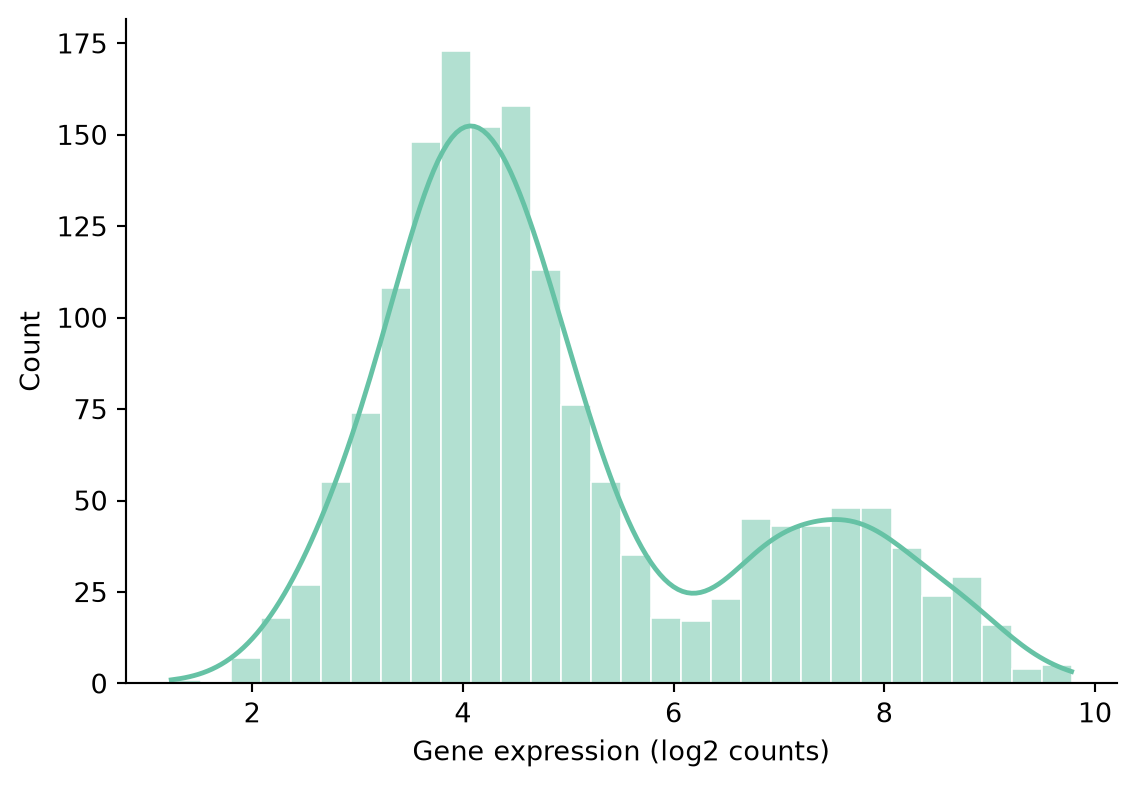
Comparing Groups with Density Curves
For two or more groups, overlaid density curves (one per condition) make the bimodality of the stimulated sample directly visible.
plt.figure(figsize=(6, 4.2))
ax = sns.kdeplot(data=df, x='Expression', hue='Condition',
                 fill=True, common_norm=False, alpha=0.35,
                 palette={'Control': '#457b9d', 'Stimulated': '#e63946'},
                 linewidth=1.8)
ax.set_xlabel('Gene expression (log2 counts)')
ax.set_ylabel('Density')
ax.spines[['top', 'right']].set_visible(False)
plt.tight_layout()
plt.show()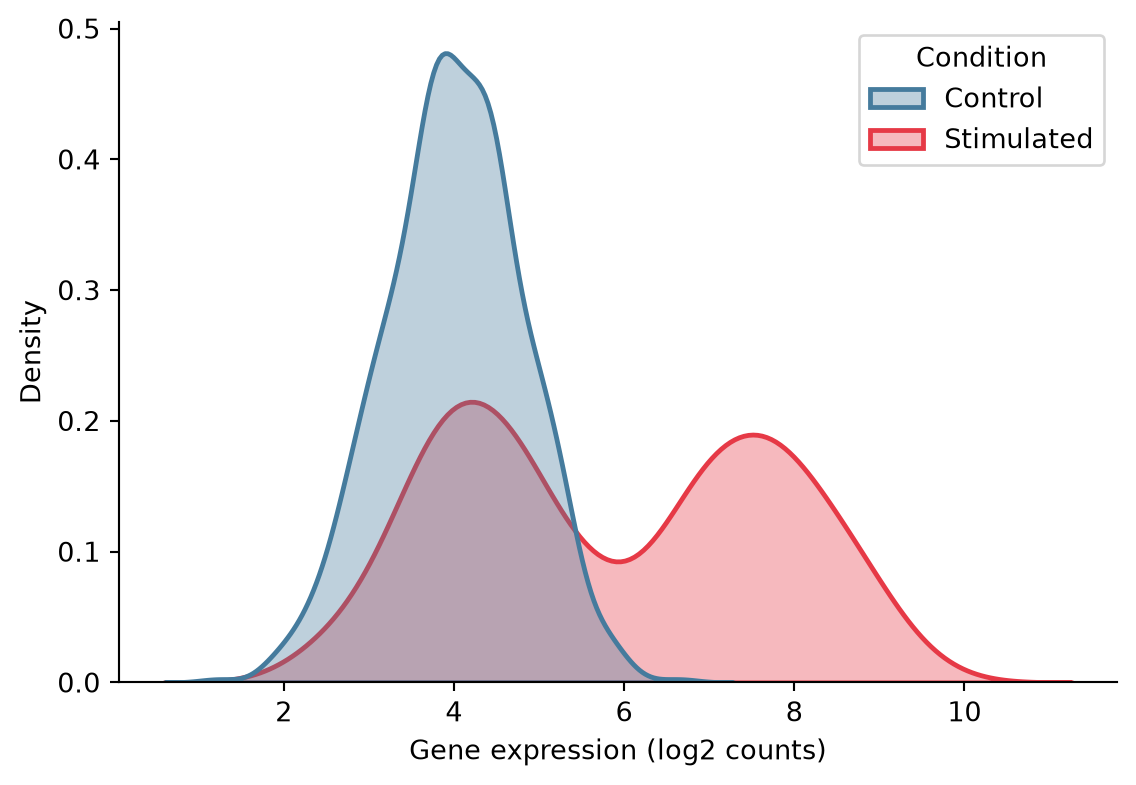
Empirical Cumulative Distribution Function
The ECDF shows every observation without binning or smoothing, making it ideal for auditing distributional shift between cohorts.
plt.figure(figsize=(6, 4.2))
ax = sns.ecdfplot(data=df, x='Expression', hue='Condition',
                  palette={'Control': '#457b9d', 'Stimulated': '#e63946'},
                  linewidth=1.8)
ax.set_xlabel('Gene expression (log2 counts)')
ax.set_ylabel('Proportion')
ax.spines[['top', 'right']].set_visible(False)
plt.tight_layout()
plt.show()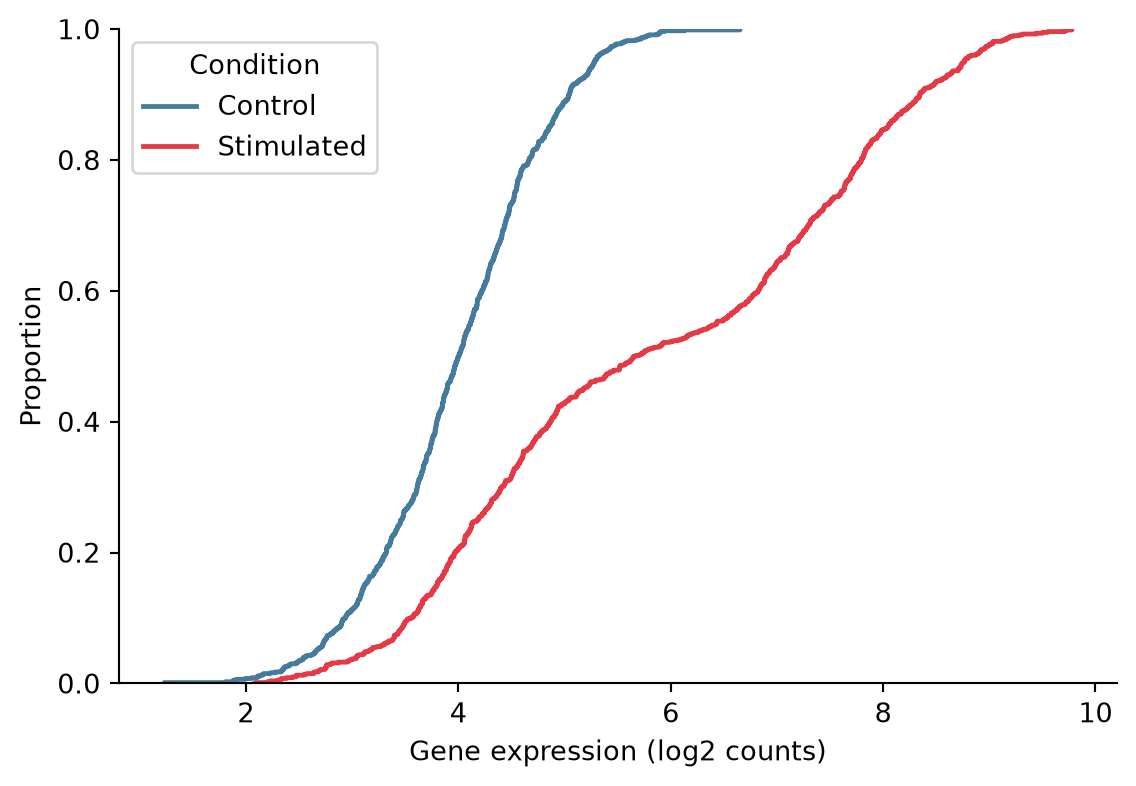
References
- Hunter, J. D. (2007). Matplotlib: A 2D graphics environment. Computing in Science & Engineering, 9(3), 90-95.
- Waskom, M. L. (2021). seaborn: statistical data visualization. Journal of Open Source Software, 6(60), 3021.