import matplotlib.pyplot as plt
import pandas as pd
import numpy as np饼图与环形图(Python)
饼图以扇形角度展示整体构成;环形图把圆心留作注释区。在生物医学研究中,它们常用于样本/队列构成汇总——但需谨记读者对角度的判断很差,饼图类别应控制在 5 个左右,精确比较请用条形图。matplotlib 的 pie() 可绘制两者。
示例
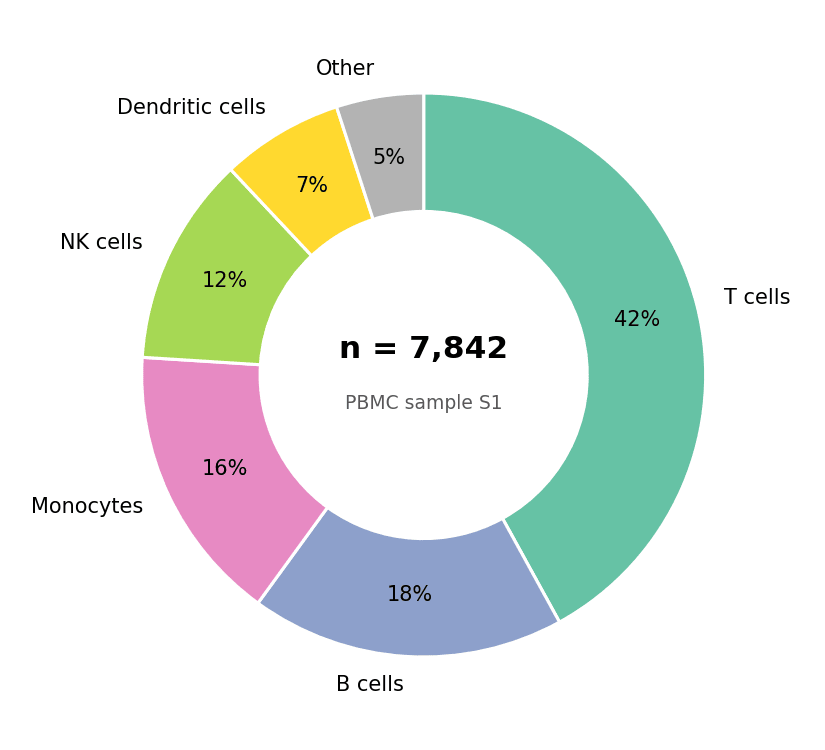
环境配置
- 系统要求:跨平台(Linux/MacOS/Windows)
- 编程语言:Python
- 依赖包:
matplotlib、pandas、numpy
数据准备
我们汇总一份 PBMC 样本的细胞类型构成,并按丰度排序——绘图前务必排序,使图形按名次可读。
composition = pd.Series(
    {'T cells': 0.42, 'B cells': 0.18, 'Monocytes': 0.16,
     'NK cells': 0.12, 'Dendritic cells': 0.07, 'Other': 0.05}
).sort_values(ascending=False)
colors = ['#66c2a5', '#8da0cb', '#e78ac3', '#a6d854', '#ffd92f', '#b3b3b3']
可视化
基础饼图
autopct 打印每份占比;startangle=90 加 counterclock=False 给出常规的从正午顺时针布局。
fig, ax = plt.subplots(figsize=(5.5, 5))
ax.pie(composition, labels=composition.index, colors=colors,
       autopct='%.0f%%', startangle=90, counterclock=False,
       wedgeprops=dict(edgecolor='white', linewidth=1.5),
       textprops=dict(fontsize=10))
ax.set_aspect('equal')
plt.tight_layout()
plt.show()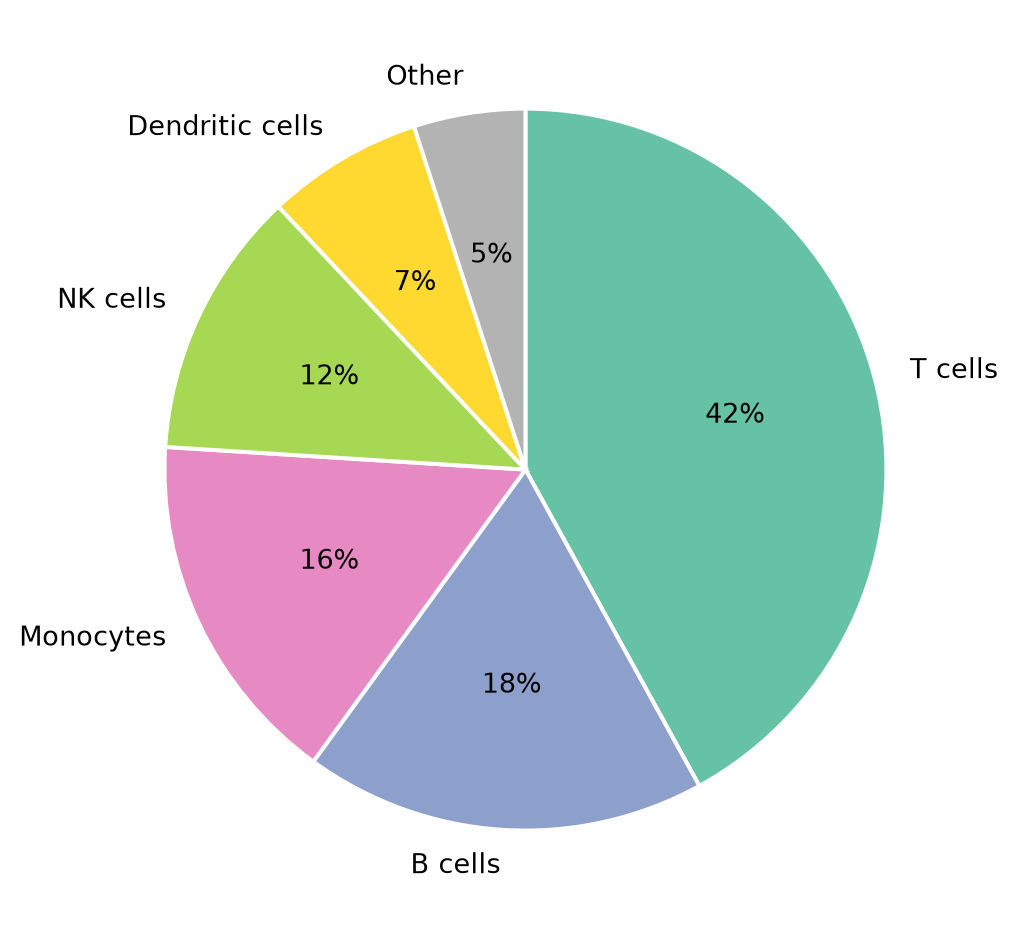
带中心注释的环形图
wedgeprops=dict(width=...) 切出圆孔;腾出的圆心是标注总数(如细胞数或患者数)的最佳位置。
fig, ax = plt.subplots(figsize=(5.5, 5))
wedges, texts, autotexts = ax.pie(
    composition, labels=composition.index, colors=colors,
    autopct='%.0f%%', pctdistance=0.78, startangle=90, counterclock=False,
    wedgeprops=dict(width=0.42, edgecolor='white', linewidth=1.5),
    textprops=dict(fontsize=10))
ax.text(0, 0.06, 'n = 7,842', ha='center', fontsize=15, fontweight='bold')
ax.text(0, -0.12, 'PBMC sample S1', ha='center', fontsize=9, color='0.35')
ax.set_aspect('equal')
plt.tight_layout()
plt.show()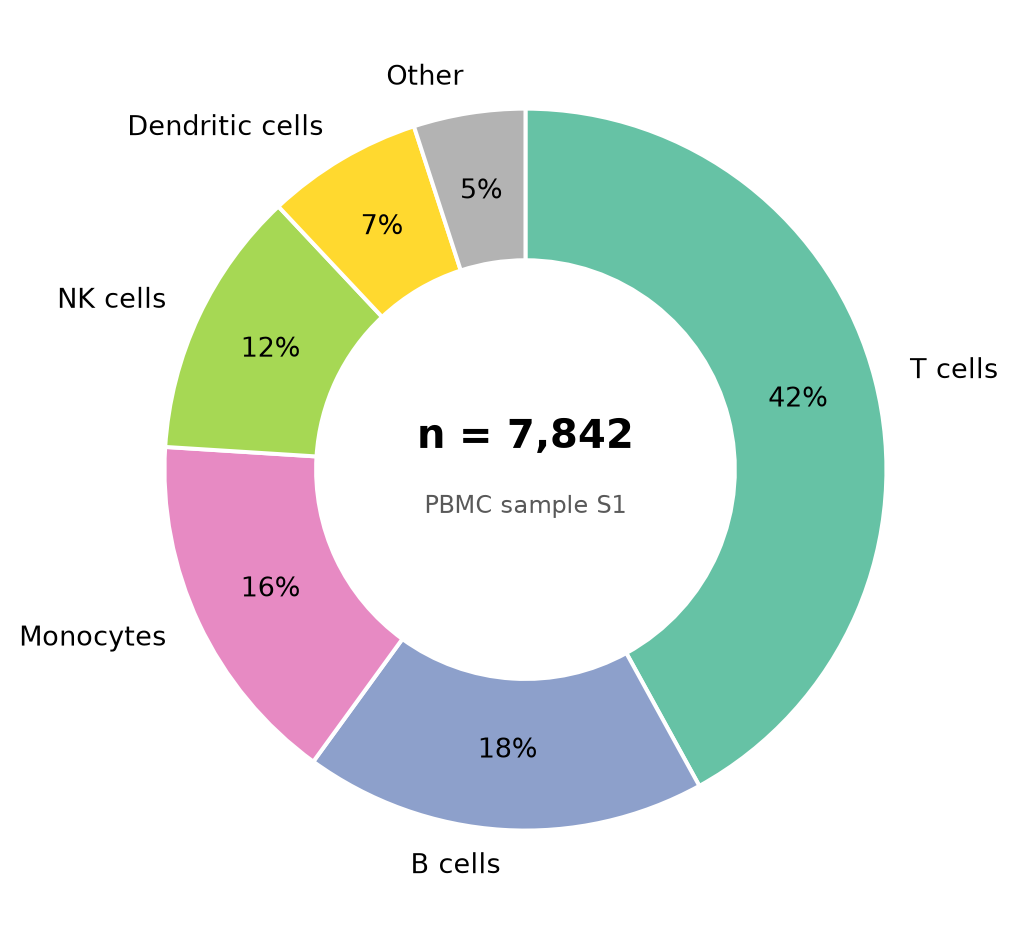
高亮扇区
explode 将某一扇区外推——当要传达的信息是单一类别(如「树突状细胞在疫苗接种后扩增」)时,这是标准的强调手段。
explode = [0.08 if c == 'Dendritic cells' else 0 for c in composition.index]
shade = ['#b3dee8' if c == 'Dendritic cells' else '#d9d9d9'
         for c in composition.index]

fig, ax = plt.subplots(figsize=(5.5, 5))
ax.pie(composition, explode=explode, colors=shade,
       autopct='%.0f%%', pctdistance=0.75, startangle=90, counterclock=False,
       wedgeprops=dict(width=0.42, edgecolor='white', linewidth=1.5),
       textprops=dict(fontsize=10))
ax.legend(wedges, composition.index, frameon=False,
          loc='center left', bbox_to_anchor=(1.0, 0.5))
ax.set_aspect('equal')
plt.tight_layout()
plt.show()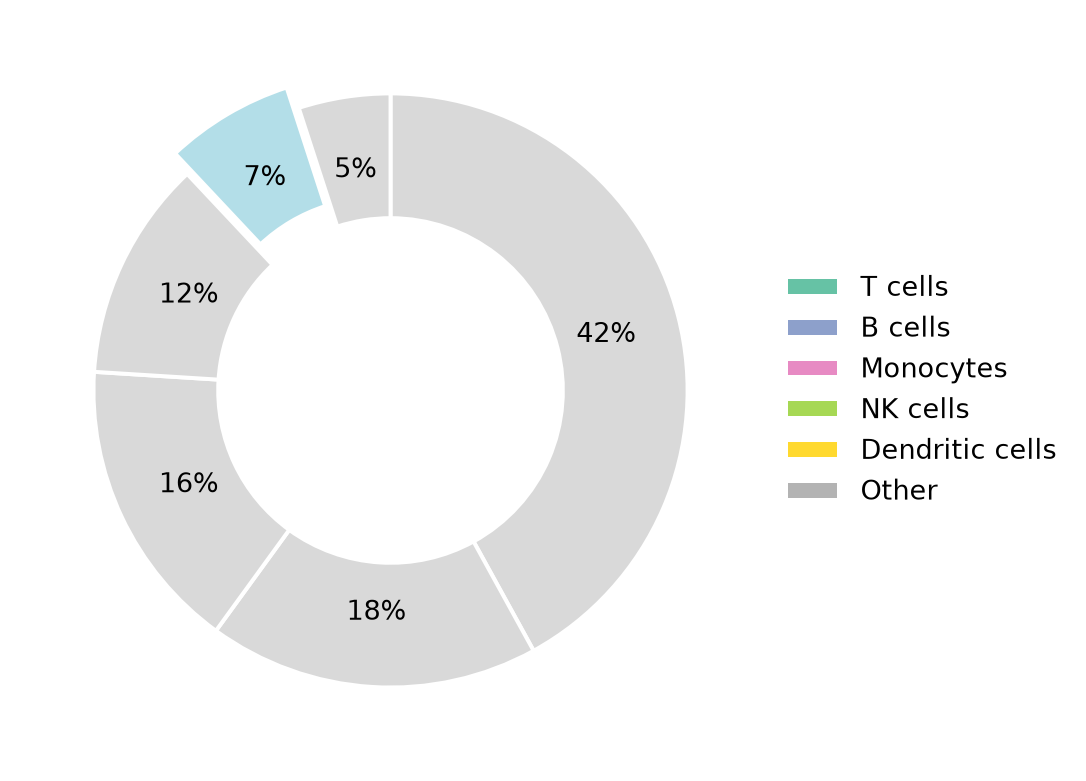
参考文献
- Hunter, J. D. (2007). Matplotlib: A 2D graphics environment. Computing in Science & Engineering, 9(3), 90-95.
- From Data to Viz. Pie chart. https://www.data-to-viz.com/caveat/pie.html