# 安装包
if (!requireNamespace("data.table", quietly = TRUE)) {
  install.packages("data.table")
}
if (!requireNamespace("jsonlite", quietly = TRUE)) {
  install.packages("jsonlite")
}
if (!requireNamespace("ggplot2", quietly = TRUE)) {
  install.packages("ggplot2")
}

# 加载包
library(data.table)
library(jsonlite)
library(ggplot2)自定义热图
注记
Hiplot 网站
本页面为 Hiplot Custom Heatmap 插件的源码版本教程,您也可以使用 Hiplot 网站实现无代码绘图,更多信息请查看以下链接:
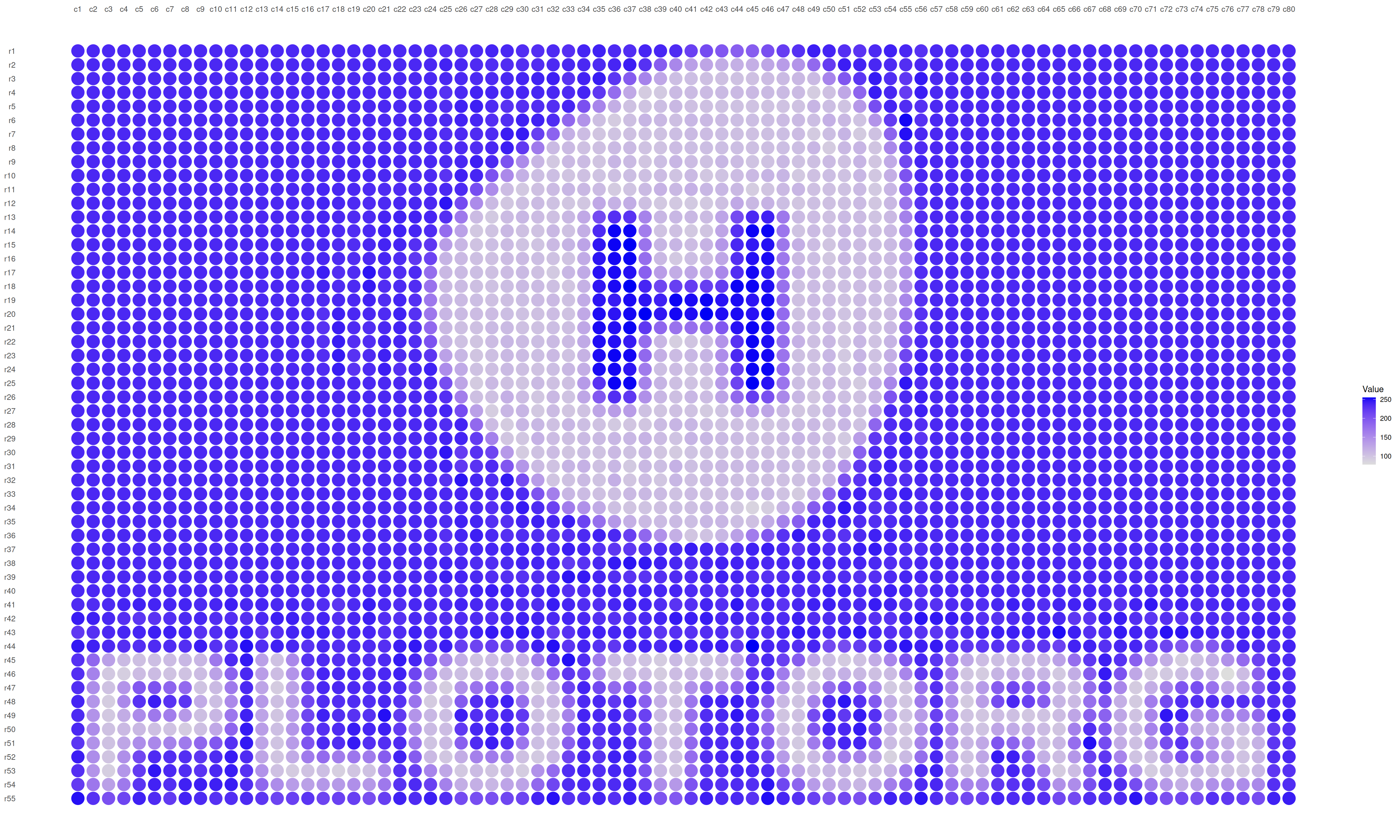
自定义热图,按照给定数据直接绘制热图。
环境配置
系统: Cross-platform (Linux/MacOS/Windows)
编程语言: R
依赖包:
data.table;jsonlite;ggplot2
sessioninfo::session_info("attached")─ Session info ───────────────────────────────────────────────────────────────
setting value
version R version 4.6.0 (2026-04-24)
os Ubuntu 24.04.4 LTS
system x86_64, linux-gnu
ui X11
language (EN)
collate C.UTF-8
ctype C.UTF-8
tz UTC
date 2026-05-09
pandoc 3.1.3 @ /usr/bin/ (via rmarkdown)
quarto 1.9.37 @ /usr/local/bin/quarto
─ Packages ───────────────────────────────────────────────────────────────────
package * version date (UTC) lib source
data.table * 1.18.4 2026-05-06 [1] RSPM
ggplot2 * 4.0.3.9000 2026-05-04 [1] Github (tidyverse/ggplot2@6870419)
jsonlite * 2.0.0 2025-03-27 [1] RSPM
[1] /home/runner/work/_temp/Library
[2] /opt/R/4.6.0/lib/R/site-library
[3] /opt/R/4.6.0/lib/R/library
* ── Packages attached to the search path.
──────────────────────────────────────────────────────────────────────────────数据准备
案例数据为hiplot.org官方logo的灰度图像。
# 加载数据
data <- data.table::fread(jsonlite::read_json("https://hiplot.cn/ui/basic/custom-heat-map/data.json")$exampleData$textarea[[1]])
data <- as.data.frame(data)

# 整理数据格式
draw_data <- as.matrix(data[, 2:ncol(data)])
row_num <- nrow(draw_data)
col_num <- ncol(draw_data)
col_labels <- colnames(data)
col_labels <- col_labels[2:ncol(data)]
row_labels <- data$name
rm(data)
df <- expand.grid(row = 1:row_num, col = 1:col_num)
df$value <- c(draw_data)

# 查看数据
head(df)
row col value
1 1 1 236
2 2 1 236
3 3 1 236
4 4 1 236
5 5 1 236
6 6 1 236可视化
# 自定义热图
p <- ggplot(df, aes(x = col, y = row, fill = value)) +
  geom_point(shape = 21, size = 8, aes(fill = value), color = "white") +
  scale_fill_gradient(low = "#DDDDDD", high = "#0000F5") +
  guides(fill = guide_colorbar(title = "Value")) +
  theme(
    panel.background = element_rect(fill = "white"),
    panel.grid = element_blank(),
    axis.text = element_text(size = 10),
    axis.ticks = element_blank(),
    axis.title = element_blank()
    ) +
  scale_x_continuous(breaks = 1:col_num, labels = col_labels, position = "top") +
  scale_y_reverse(breaks = 1:row_num, labels = row_labels, position = "left")

p