import pandas as pd
import numpy as np
import plotly.express as px地区分布图(Python)
地区分布图(choropleth)以数值为地理区域着色——发病率、队列覆盖、测序能力——让空间不平等成为读者看到的第一件事。plotly.express.choropleth 内置国家几何,无需 GIS 栈、无需下载 shapefile 即可完成公共卫生地图。
示例
环境配置
- 系统要求:跨平台(Linux/MacOS/Windows)
- 编程语言:Python
- 依赖包:
pandas、numpy、plotly
数据准备
我们汇总一项多国观察性研究:参与国家及其入组患者数与每百万人发病率——地区分布图所需的两列,以 plotly 内置几何的 ISO-3 代码为键。
study = pd.DataFrame({
    'ISO': ['BRA', 'CHN', 'DEU', 'GBR', 'IND', 'JPN', 'KEN', 'KOR',
            'NGA', 'USA', 'ZAF'],
    'Country': ['Brazil', 'China', 'Germany', 'United Kingdom', 'India',
                'Japan', 'Kenya', 'South Korea', 'Nigeria', 'United States',
                'South Africa'],
    'Patients': [312, 540, 288, 301, 265, 198, 74, 121, 66, 430, 96],
})
pop_m = dict(BRA=216, CHN=1412, DEU=84, GBR=68, IND=1428, JPN=124,
             KEN=55, KOR=52, NGA=223, USA=335, ZAF=60)
study['PerMillion'] = (study.Patients / study.ISO.map(pop_m)).round(1)
可视化
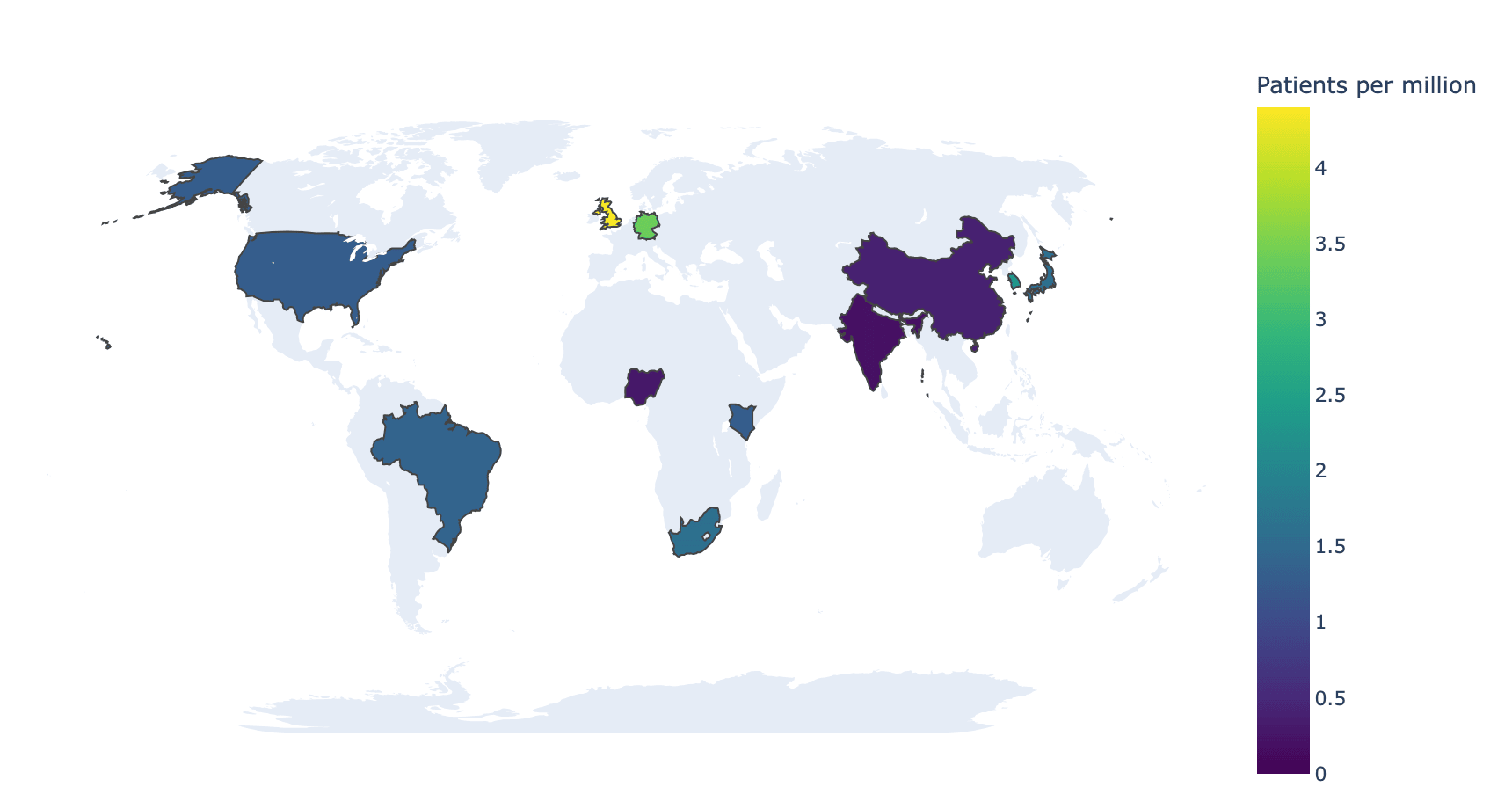
入组强度地图
locations 接收 ISO-3 代码,color 接收数值;感知均匀色标加显式 range_color 可保证多幅图之间可比。
fig = px.choropleth(
    study, locations='ISO', color='PerMillion',
    hover_name='Country',
    hover_data={'Patients': True, 'PerMillion': ':.1f', 'ISO': False},
    color_continuous_scale='Viridis',
    range_color=(0, study.PerMillion.max()),
    labels={'PerMillion': 'Patients per million'})
fig.update_layout(geo=dict(showframe=False, showcoastlines=False,
                           projection_type='natural earth'),
                  width=860, height=460, font_size=11,
                  margin=dict(l=10, r=10, t=30, b=10))
fig.show()高亮未参与国家
把未参与国家的数值置为空即可使其置灰——让「缺失」本身成为可见信息,这通常是覆盖地图最诚实的选择。
all_iso = ['BRA', 'CHN', 'DEU', 'GBR', 'IND', 'JPN', 'KEN', 'KOR',
           'NGA', 'USA', 'ZAF', 'AUS', 'CAN', 'FRA', 'MEX', 'SWE']
coverage = study.set_index('ISO').reindex(all_iso)

fig = px.choropleth(
    coverage.reset_index(), locations='ISO', color='PerMillion',
    hover_name='ISO', color_continuous_scale='Viridis',
    labels={'ISO': 'Country', 'PerMillion': 'Patients per million'})
fig.update_traces(marker_line_color='#737373', marker_line_width=0.5)
fig.update_layout(geo=dict(showframe=False, showcoastlines=False,
                           landcolor='#eeeeee',
                           projection_type='natural earth'),
                  width=860, height=460, font_size=11,
                  margin=dict(l=10, r=10, t=30, b=10))
fig.show()参考文献
- Plotly Technologies Inc. Choropleth map in Python. https://plotly.com/python/choropleth-maps/
- Crameri, F., Shephard, G. E., & Heron, P. J. (2020). The misuse of colour in science communication. Nature Communications, 11, 5444.