using CairoMakie
using DataFrames
using Statistics
using Random饼图与环形图(Julia)
饼图以扇形角度展示整体构成;环形图把圆心留作注释区。在生物医学研究中,它们常用于样本/队列构成汇总——但需谨记读者对角度的判断很差,饼图类别应控制在 5 个左右。CairoMakie 的原生 pie recipe 通过 inner_radius 支持两者。
示例
环境配置
- 系统要求:跨平台(Linux/MacOS/Windows)
- 编程语言:Julia
- 依赖包:
CairoMakie、DataFrames、Statistics
数据准备
我们汇总一份 PBMC 样本的细胞类型构成,并按丰度排序——绘图前务必排序,使图形按名次可读。
composition = DataFrame(
    CellType = ["T cells", "B cells", "Monocytes", "NK cells", "DC", "Other"],
    Fraction = [0.42, 0.18, 0.16, 0.12, 0.07, 0.05])
slice_colors = [:teal, :steelblue, :plum, :olivedrab, :gold, :gray70]
6-element Vector{Symbol}:
:teal
:steelblue
:plum
:olivedrab
:gold
:gray70可视化
基础饼图
pie recipe 会自动归一化数值;strokecolor/strokewidth 分隔相邻扇区。
fig = Figure(size = (430, 380))
ax = Axis(fig[1, 1]; aspect = DataAspect())
pie!(ax, composition.Fraction; color = slice_colors,
     strokecolor = :white, strokewidth = 1.5)
hidespines!(ax)
hidedecorations!(ax)
fig
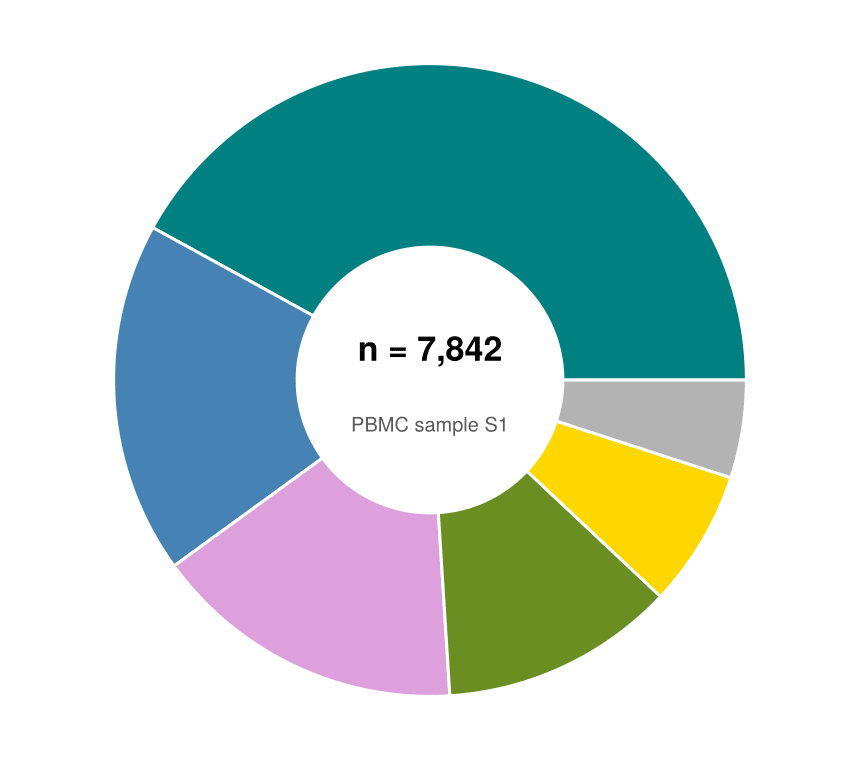
带中心注释的环形图
inner_radius 切出圆孔;通过 text! 把总数(细胞数或患者数)写进腾出的圆心。
fig = Figure(size = (430, 380))
ax = Axis(fig[1, 1]; aspect = DataAspect())
pie!(ax, composition.Fraction; color = slice_colors, inner_radius = 0.42,
     strokecolor = :white, strokewidth = 1.5)
text!(ax, 0, 0.10; text = "n = 7,842", align = (:center, :center),
      fontsize = 17, font = :bold)
text!(ax, 0, -0.14; text = "PBMC sample S1", align = (:center, :center),
      fontsize = 10, color = :gray35)
hidespines!(ax)
hidedecorations!(ax)
fig
高亮扇区与图例
颜色强调(单个饱和色扇区、其余置灰)加外侧图例,可在不使用外推扇区的情况下把信息聚焦到单一类别。
emph = ifelse.(composition.CellType .== "DC", :skyblue3, :gray80)

fig = Figure(size = (520, 360))
ax = Axis(fig[1, 1]; aspect = DataAspect())
pie!(ax, composition.Fraction; color = emph, inner_radius = 0.42,
     strokecolor = :white, strokewidth = 1.5)
elements = [PolyElement(polycolor = slice_colors[i]) for i in 1:nrow(composition)]
Legend(fig[1, 2], elements, composition.CellType, framevisible = false)
hidespines!(ax)
hidedecorations!(ax)
fig
参考文献
- Makie development team. Makie.jl documentation — pie. https://docs.makie.org/stable/reference/plots/pie
- Danisch, S., & Krumbiegel, J. (2021). Makie.jl: Flexible high-performance data visualization for Julia. Journal of Open Source Software, 6(65), 3349.