import matplotlib.pyplot as plt
import pandas as pd
import numpy as np面积图与河流图(Python)
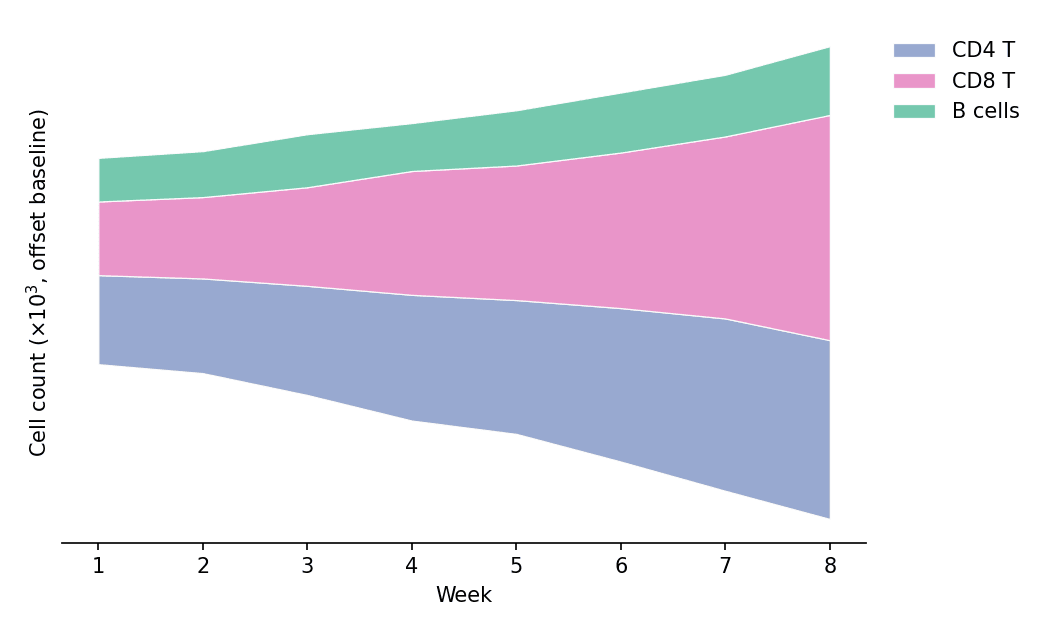
面积图通过填充折线下的区域,强调一个或多个量随有序轴变化的规模;堆叠变体把总量分解为多层,河流图(streamgraph)则将各层围绕波动基线堆叠,得到流畅的构成随时间演化视图。在生物医学研究中,适用于免疫细胞群动态、测序产出随批次的增长或队列累积。matplotlib 提供 fill_between 与 stackplot。
示例
环境配置
- 系统要求:跨平台(Linux/MacOS/Windows)
- 编程语言:Python
- 依赖包:
matplotlib、pandas、numpy
数据准备
我们模拟一项 8 周疫苗接种研究中三种淋巴细胞群的每周流式计数。
np.random.seed(71)

weeks = np.arange(1, 9)
populations = {
    'CD4 T': 400 * np.exp(0.10 * weeks) + np.random.normal(0, 25, 8),
    'CD8 T': 300 * np.exp(0.16 * weeks) + np.random.normal(0, 22, 8),
    'B cells': 200 * np.exp(0.06 * weeks) + np.random.normal(0, 15, 8),
}
counts = pd.DataFrame(populations, index=weeks)
counts.index.name = 'Week'
colors = ['#8da0cb', '#e78ac3', '#66c2a5']
可视化
单序列面积图
fill_between 填充曲线与基线之间的区域——单个序列的最简强调形式。
fig, ax = plt.subplots(figsize=(6.2, 4))
ax.fill_between(counts.index, counts['CD8 T'], color='#e78ac3', alpha=0.45)
ax.plot(counts.index, counts['CD8 T'], color='#d05fa2', linewidth=1.8)
ax.set_xlabel('Week')
ax.set_ylabel('Cell count (×10$^3$)')
ax.spines[['top', 'right']].set_visible(False)
plt.tight_layout()
plt.show()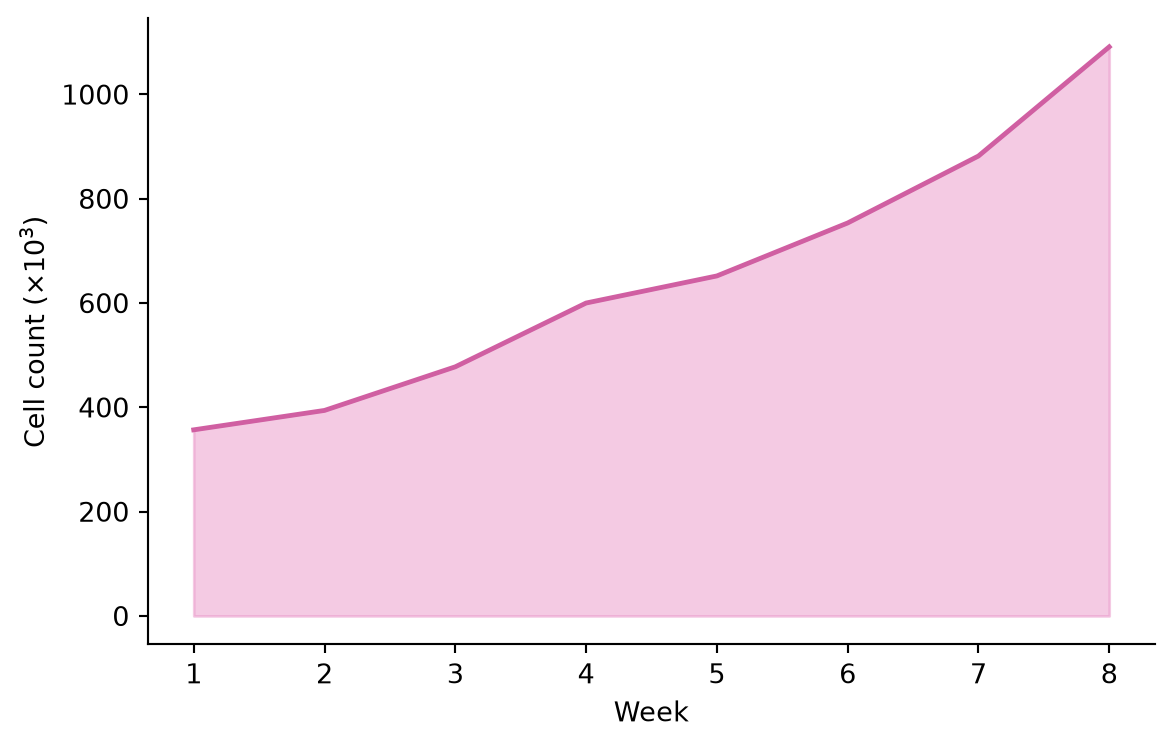
堆叠面积图
stackplot 将各细胞群逐层堆叠,外包络即为总量,色带展示各自贡献。
fig, ax = plt.subplots(figsize=(6.5, 4.2))
ax.stackplot(counts.index, [counts[c] for c in counts.columns],
             labels=counts.columns, colors=colors, alpha=0.85,
             edgecolor='white', linewidth=0.6)
ax.set_xlabel('Week')
ax.set_ylabel('Cell count (×10$^3$)')
ax.legend(frameon=False, loc='upper left')
ax.spines[['top', 'right']].set_visible(False)
plt.tight_layout()
plt.show()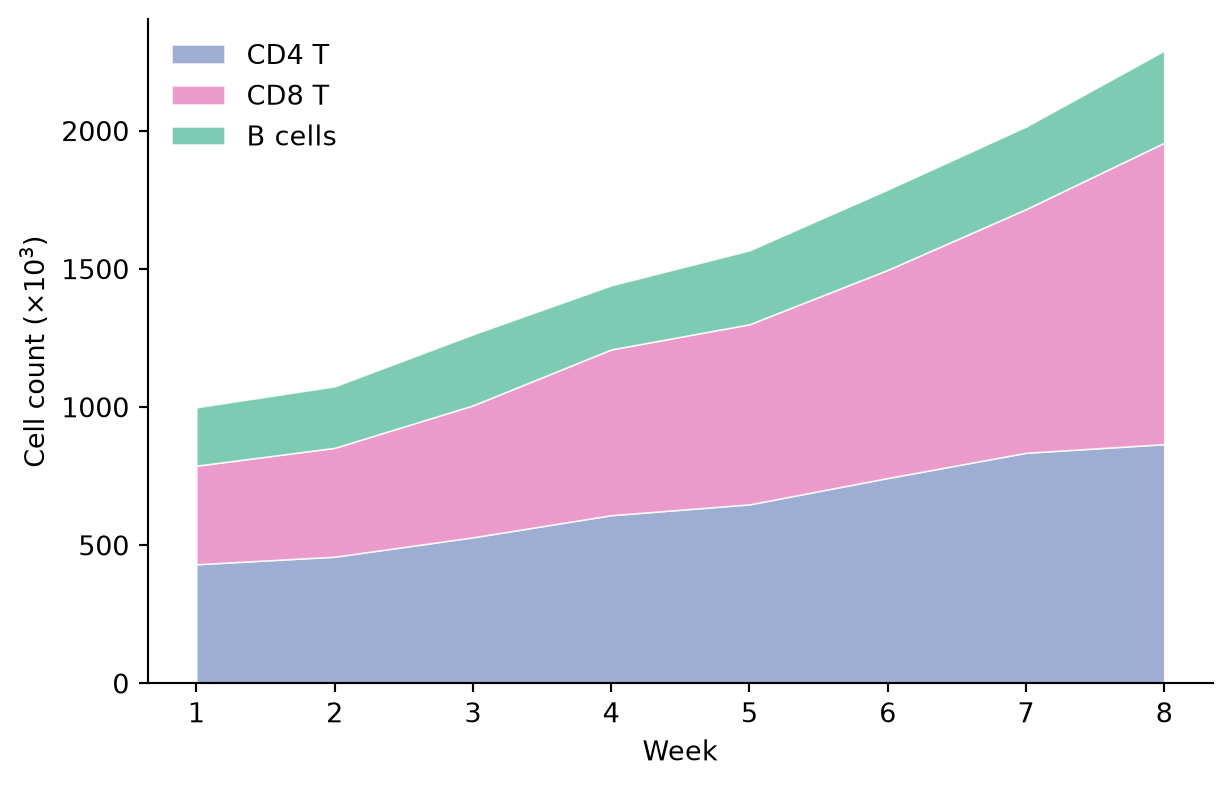
河流图
河流图(wiggle 基线)使堆叠居中,让视线追随各色带的形状而非零线——海报与封面中构成随时间演化的常见形式。
fig, ax = plt.subplots(figsize=(7, 4.2))
ax.stackplot(counts.index, [counts[c] for c in counts.columns],
             labels=counts.columns, colors=colors, alpha=0.9,
             baseline='wiggle', edgecolor='white', linewidth=0.6)
ax.set_xlabel('Week')
ax.set_ylabel('Cell count (×10$^3$, offset baseline)')
ax.spines[['top', 'right', 'left']].set_visible(False)
ax.set_yticks([])
ax.legend(frameon=False, loc='upper left', bbox_to_anchor=(1.01, 1.0))
plt.tight_layout()
plt.show()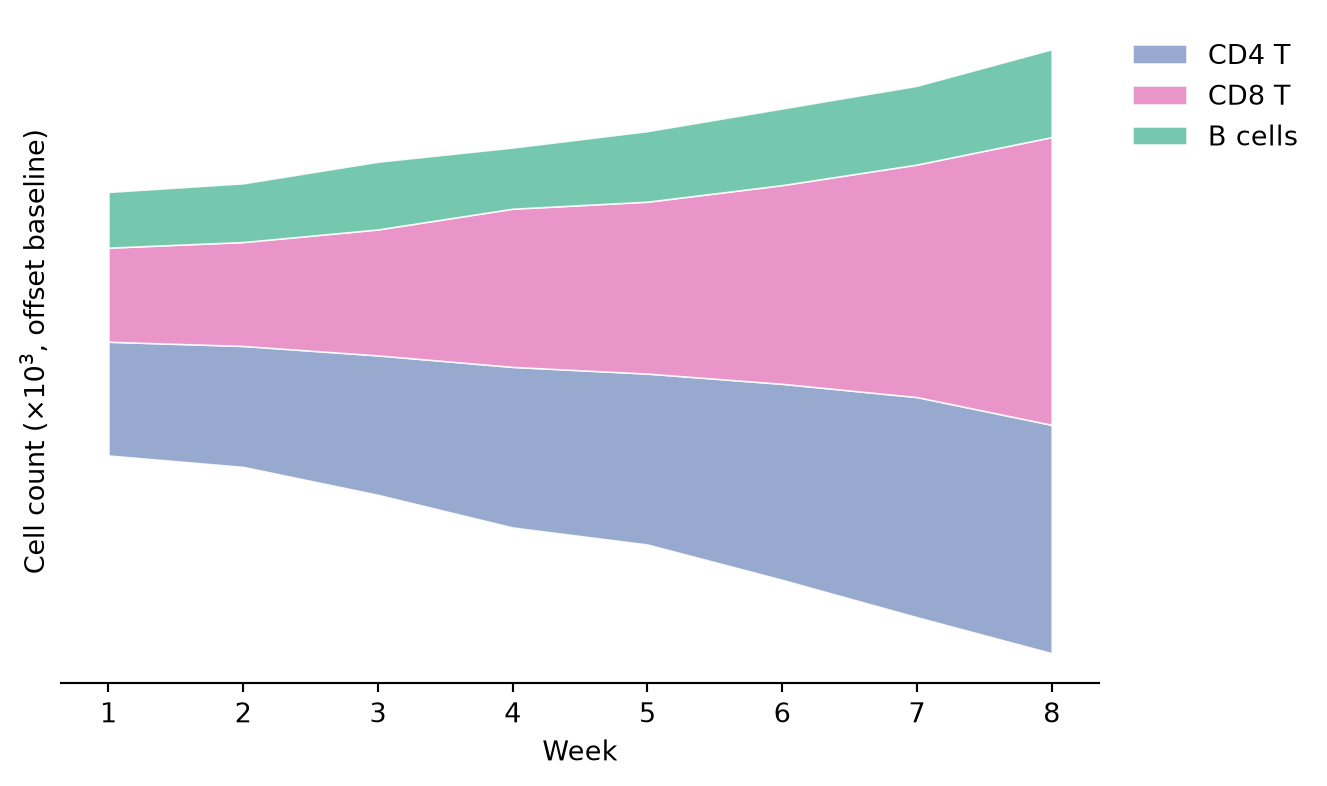
参考文献
- Hunter, J. D. (2007). Matplotlib: A 2D graphics environment. Computing in Science & Engineering, 9(3), 90-95.
- From Data to Viz. Stacked area chart. https://www.data-to-viz.com/graph/stackedarea.html