import matplotlib.pyplot as plt
import seaborn as sns
import pandas as pd
import numpy as np联合分布图与配对图(Python)
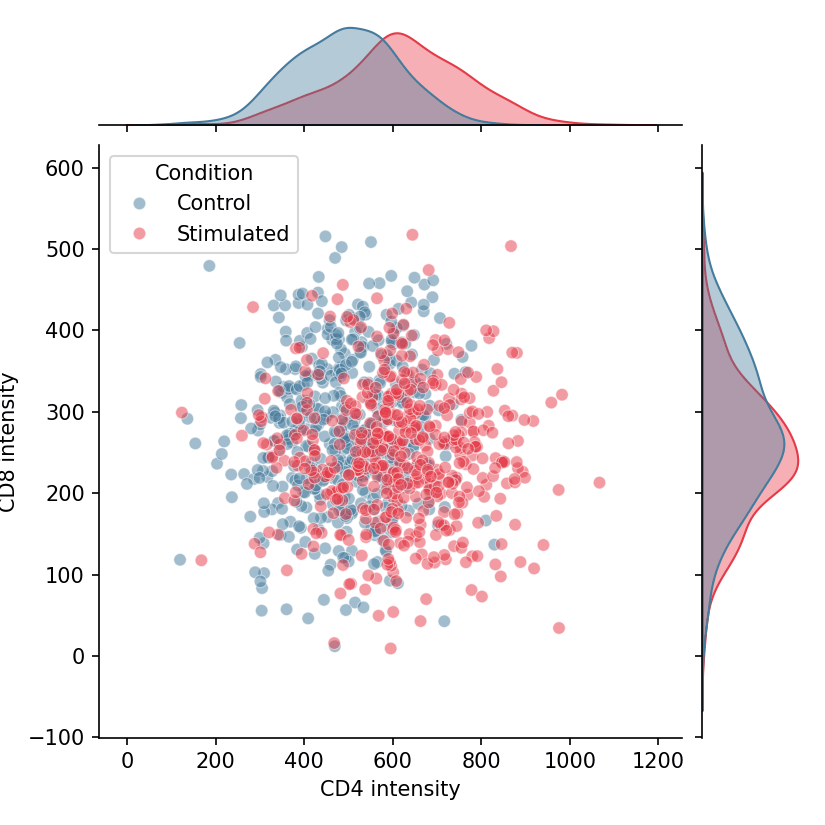
联合分布图(joint plot)将双变量展示(散点或核密度)与每个变量沿坐标轴的边缘分布组合在一起;配对图(pair plot)将这一思想扩展为所有变量两两组合的矩阵。在生物医学研究中,它们是检查指标间共变关系的标准第一步——标志物间相关性、生物标志物面板或多平台质量指标。seaborn 通过 jointplot 与 pairplot 提供两者。
示例
环境配置
- 系统要求:跨平台(Linux/MacOS/Windows)
- 编程语言:Python
- 依赖包:
matplotlib、seaborn、pandas、numpy
数据准备
我们模拟刺激与对照条件下两个流式标志物的检测数据,并加载经典的 iris 测量数据用于多变量配对图。
np.random.seed(61)

n = 500
flow = pd.DataFrame({
    'CD4': np.concatenate([np.random.normal(500, 120, n),
                           np.random.normal(620, 140, n)]),
    'CD8': np.concatenate([np.random.normal(280, 90, n),
                           np.random.normal(250, 85, n)]),
    'Condition': np.repeat(['Control', 'Stimulated'], n)
})
可视化
散点联合分布图
seaborn.jointplot 绘制中心散点并附边缘直方图;hue 同时按条件拆分联合层与边缘层。
g = sns.jointplot(data=flow, x='CD4', y='CD8', hue='Condition',
                  palette={'Control': '#457b9d', 'Stimulated': '#e63946'},
                  alpha=0.5, height=5.5, marginal_kws=dict(fill=True, alpha=0.4))
g.set_axis_labels('CD4 intensity', 'CD8 intensity')
plt.show()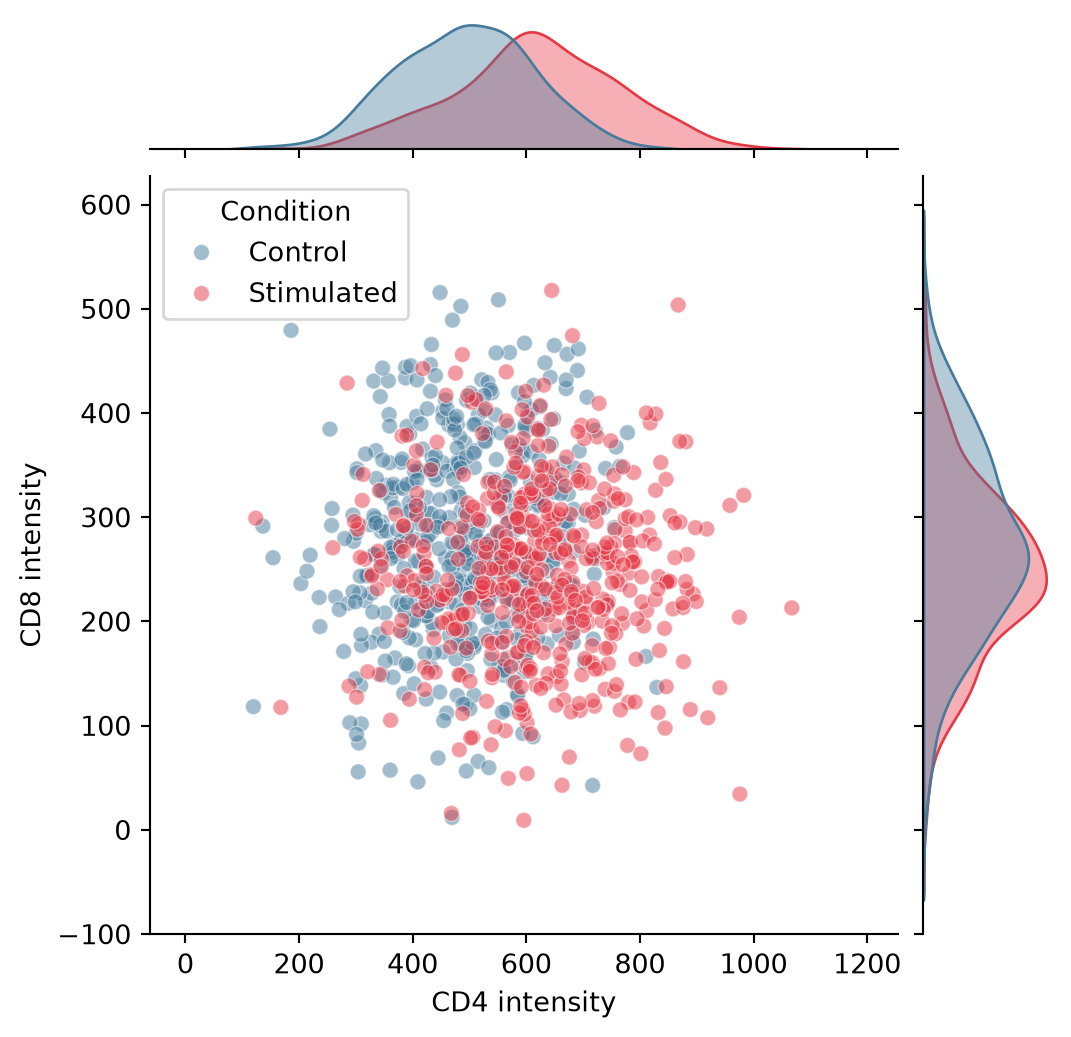
核密度与六边形联合分布图
样本密集时可切换中心层:kind='kde' 以等高线勾勒二维密度,kind='hex' 则对百万级点进行分箱避免过绘。
g = sns.jointplot(data=flow, x='CD4', y='CD8', hue='Condition',
                  kind='kde',
                  palette={'Control': '#457b9d', 'Stimulated': '#e63946'},
                  height=5.5, marginal_kws=dict(fill=True, alpha=0.4),
                  joint_kws=dict(alpha=0.7))
g.set_axis_labels('CD4 intensity', 'CD8 intensity')
plt.show()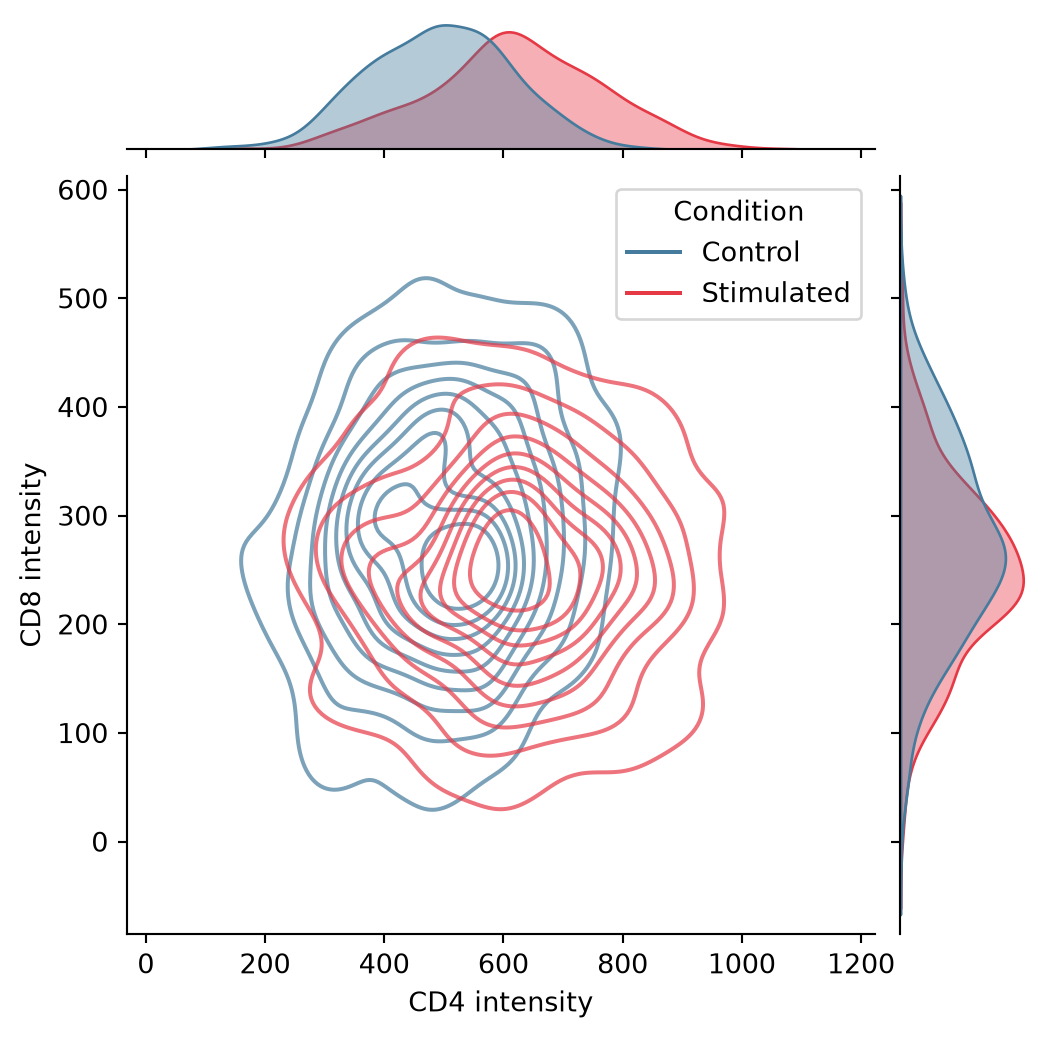
配对图矩阵
seaborn.pairplot 构建完整的散点图矩阵,对角线展示各变量自身的分布;corner=True 去除冗余的上三角。
iris = sns.load_dataset('iris')
g = sns.pairplot(iris, hue='species', corner=True,
                 palette='Set2',
                 plot_kws=dict(alpha=0.6, s=20),
                 diag_kws=dict(fill=True, alpha=0.4))
plt.show()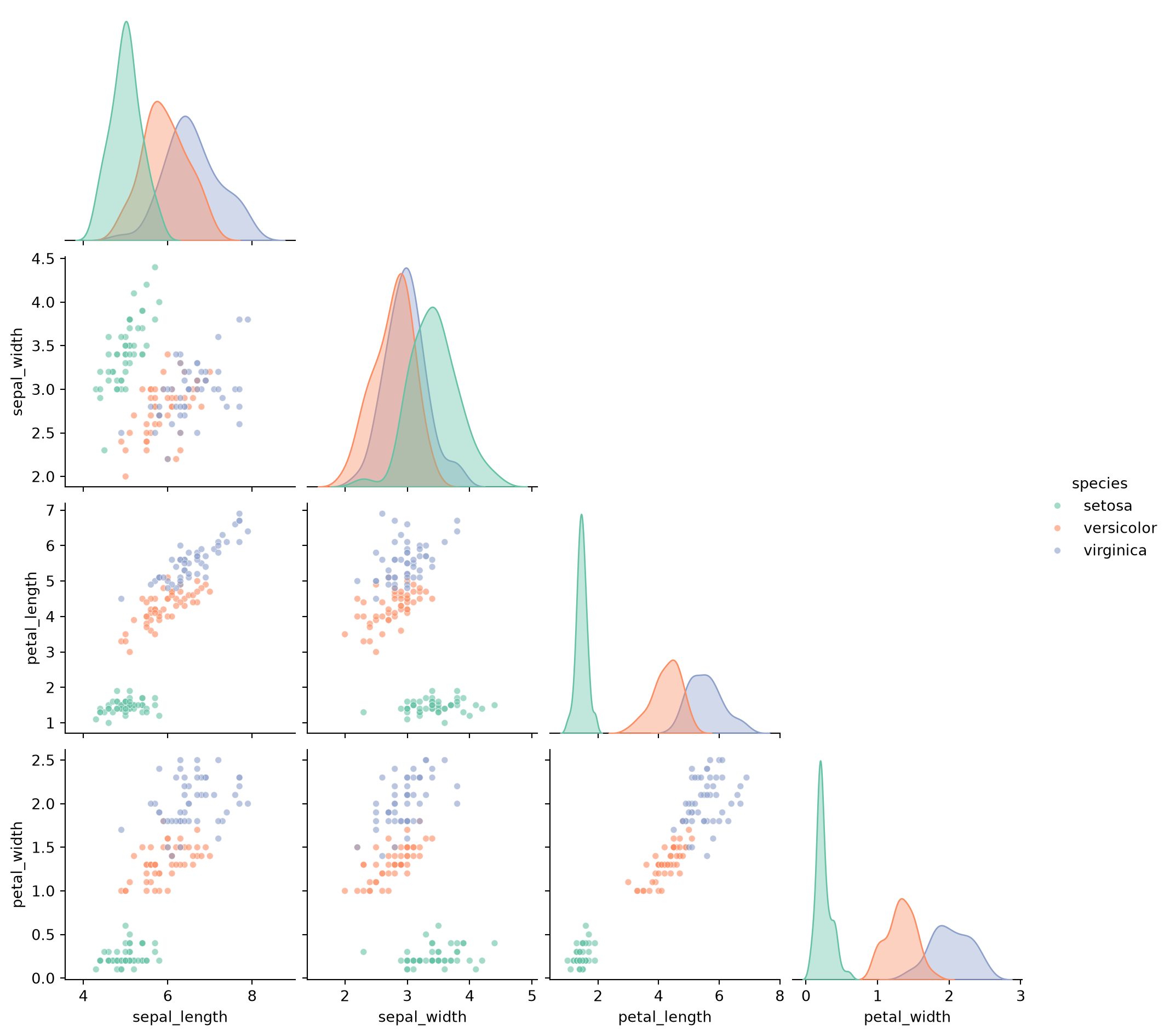
参考文献
- Waskom, M. L. (2021). seaborn: statistical data visualization. Journal of Open Source Software, 6(60), 3021.
- Hunter, J. D. (2007). Matplotlib: A 2D graphics environment. Computing in Science & Engineering, 9(3), 90-95.