import matplotlib.pyplot as plt
import seaborn as sns
import pandas as pd
import numpy as np分面图(Python)
分面图把一个数据集按类别变量切分为面板网格,并让所有面板保持一致坐标轴——组间差异因此表现为形状差异而非刻度差异。它取代了生物医学论文中最容易出错的一类图形:手工拼装的面板网格。seaborn 提供图形级函数(relplot、catplot、displot)与可组合的 FacetGrid。
示例
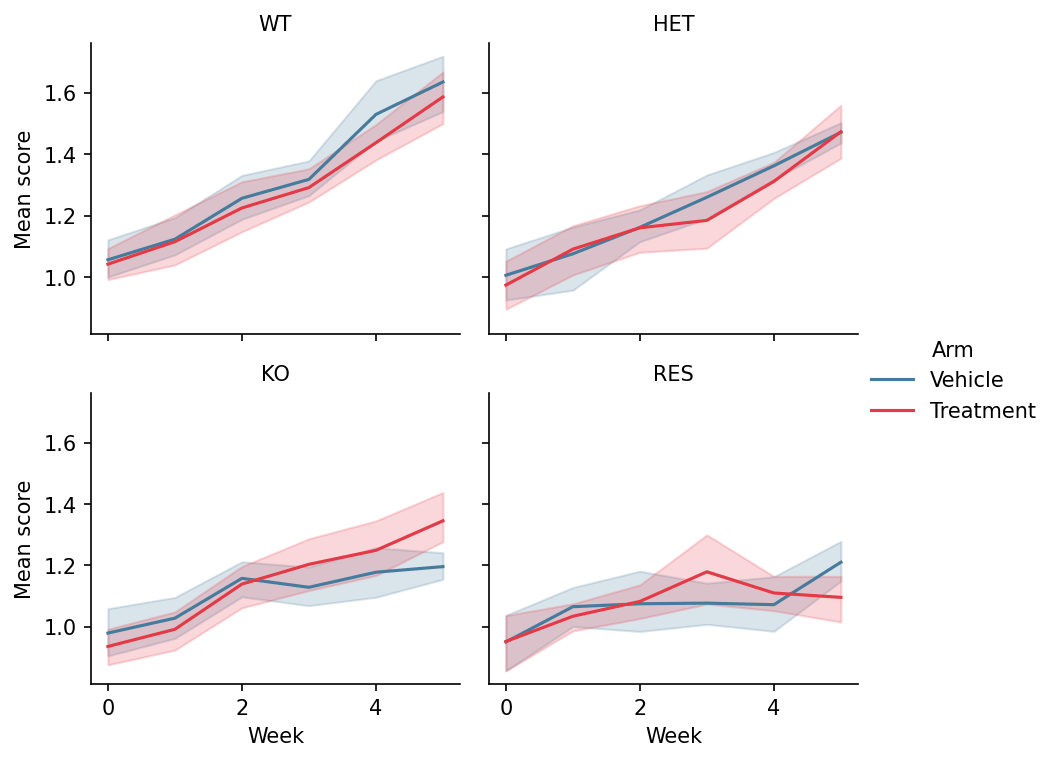
环境配置
- 系统要求:跨平台(Linux/MacOS/Windows)
- 编程语言:Python
- 依赖包:
matplotlib、seaborn、pandas、numpy
数据准备
我们模拟一项纵向治疗研究的长格式数据——4 基因型 × 2 处理臂 × 6 周测量——这正是 seaborn 图形级函数期望的形状(每行一个观测)。
np.random.seed(201)

genotypes = ['WT', 'HET', 'KO', 'RES']
rows = []
for gi, geno in enumerate(genotypes):
    for arm, rate in [('Vehicle', 0.10), ('Treatment', 0.10 + 0.08 * (3 - gi))]:
        for mouse in range(8):
            for week in range(0, 6):
                rows.append({
                    'Genotype': geno, 'Arm': arm, 'Week': week,
                    'Mouse': f'{geno}_{arm[:2]}_{mouse}',
                    'Score': 1 + 0.35 * (0.10 + 0.08 * (3 - gi)) * week
                             + np.random.normal(0, 0.12)})
long = pd.DataFrame(rows)
可视化
关系分面(relplot)
col 将面板横向排开、col_wrap 控制网格换行;面板间一致的 y 轴范围正是基因型对比成立的前提。
g = sns.relplot(data=long, x='Week', y='Score', hue='Arm',
                col='Genotype', col_wrap=2,
                kind='line', estimator='mean', errorbar=('ci', 95),
                palette={'Vehicle': '#457b9d', 'Treatment': '#e63946'},
                height=2.6, aspect=1.15, facet_kws=dict(sharey=True))
g.set_titles('{col_name}')
g.set_axis_labels('Week', 'Mean score')
g.legend.set_frame_on(False)
plt.show()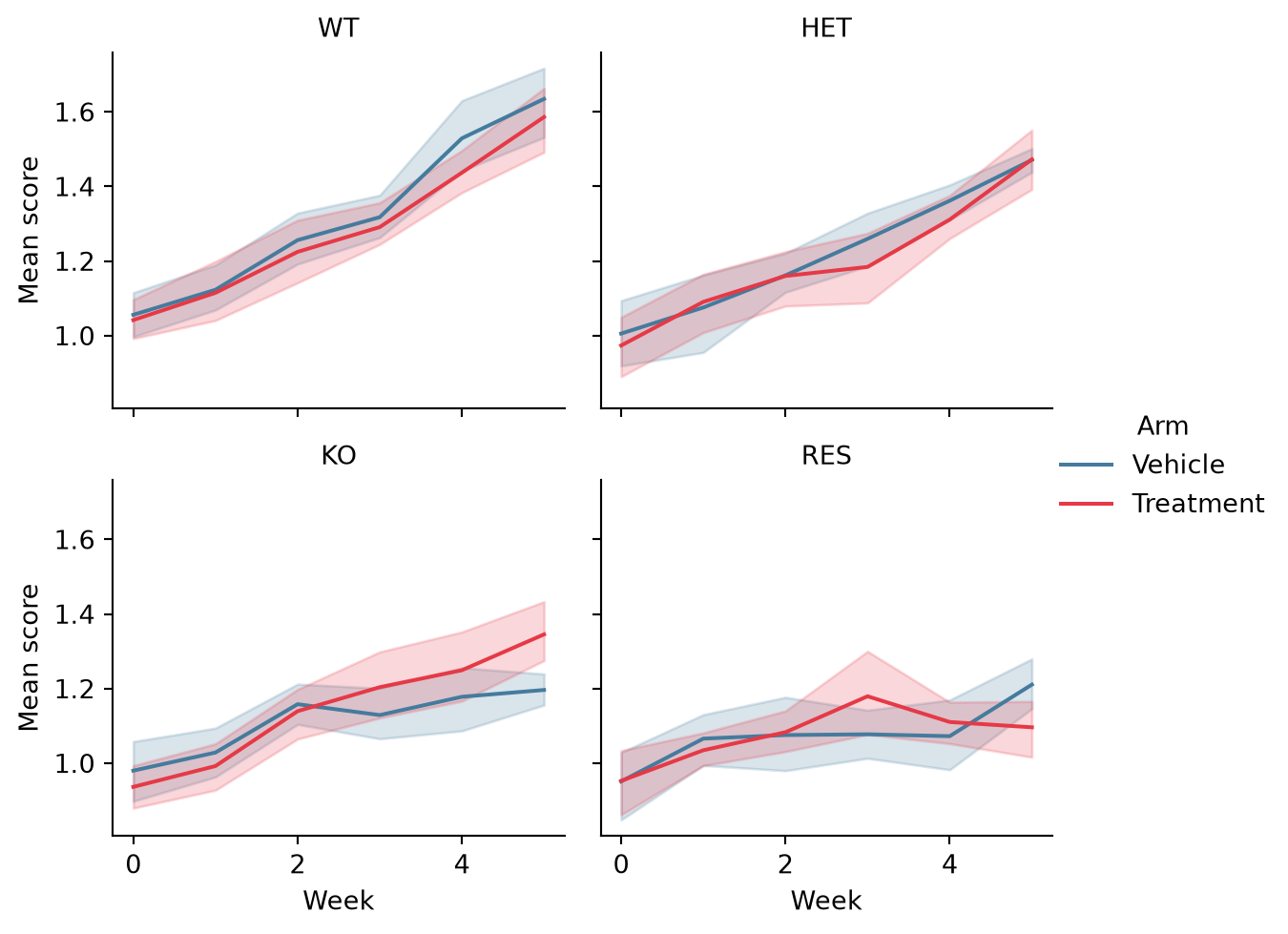
类别分面(catplot)
catplot 通过 kind 切换每格图形类型;逐周的箱线图展示均值掩盖的组内离散。
g = sns.catplot(data=long[long.Arm == 'Treatment'], x='Week', y='Score',
                col='Genotype', col_wrap=2, kind='box',
                color='#8da0cb', width=0.55, linewidth=0.9,
                height=2.6, aspect=1.15)
g.set_titles('{col_name}')
g.set_axis_labels('Week', 'Score')
plt.show()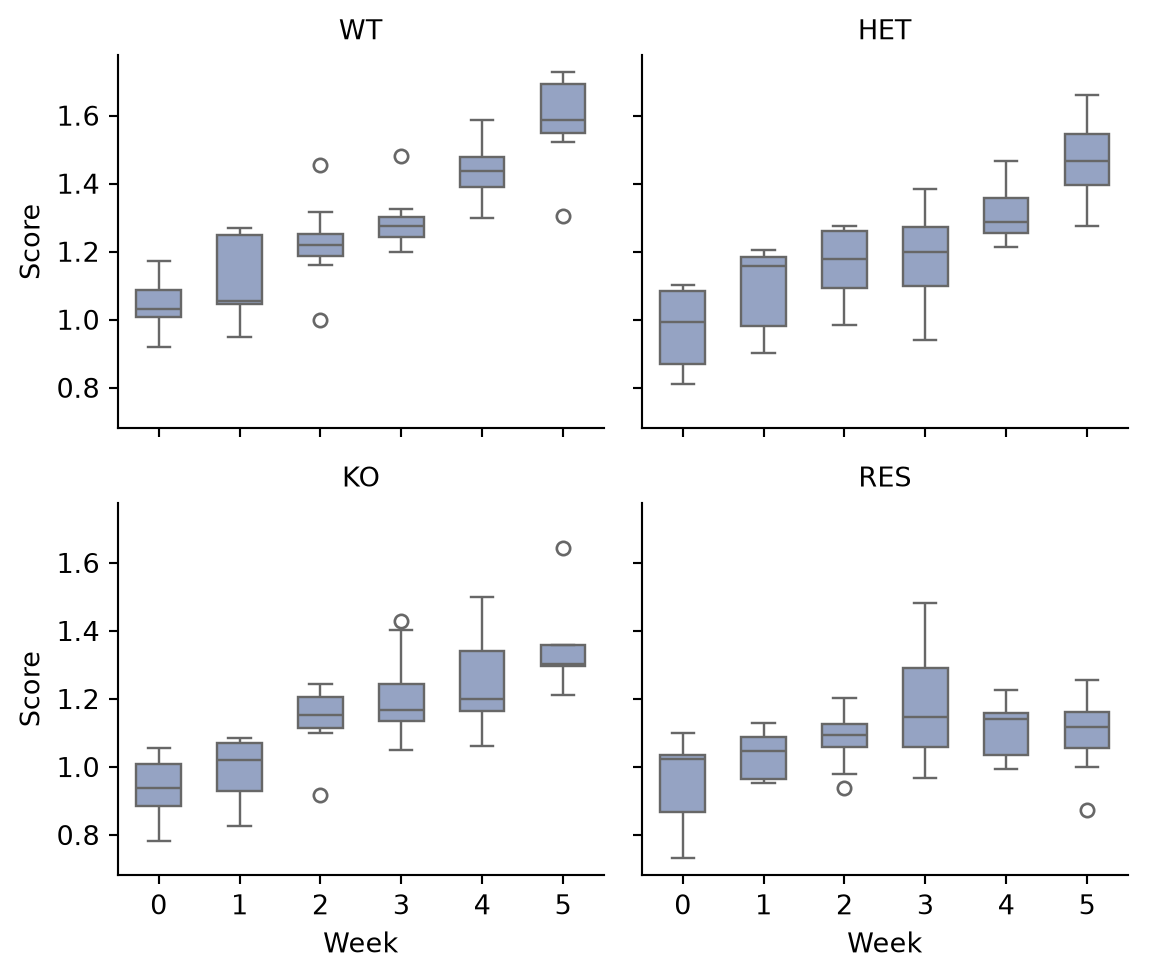
FacetGrid 自定义面板
FacetGrid.map_dataframe 可将任意绘图函数放进每个面板——这里是各基因型的评分分布加 rug,是自定义面板函数的通用模式。
def hist_kde(data, color, **kwargs):
    ax = plt.gca()
    sns.histplot(data.Score, kde=True, stat='density',
                 color=color, alpha=0.45, bins=14, ax=ax)
    ax.axvline(data.Score.median(), color='0.25', linewidth=0.9,
               linestyle='--')

g = sns.FacetGrid(long, col='Genotype', col_wrap=2, hue='Genotype',
                  palette='Set2', height=2.6, aspect=1.15)
g.map_dataframe(hist_kde)
g.set_titles('{col_name}')
g.set_axis_labels('Score', 'Density')
plt.show()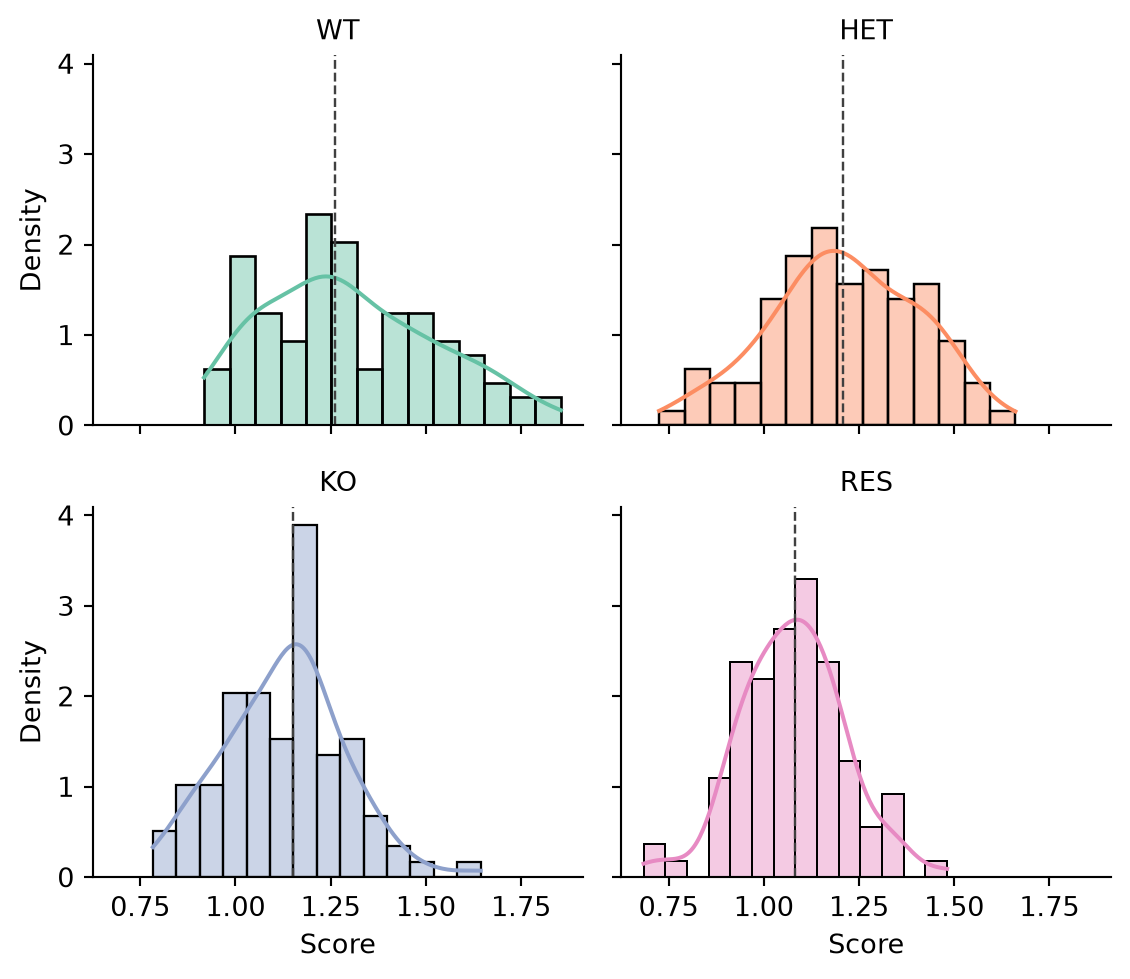
参考文献
- Waskom, M. L. (2021). seaborn: statistical data visualization. Journal of Open Source Software, 6(60), 3021.
- Hunter, J. D. (2007). Matplotlib: A 2D graphics environment. Computing in Science & Engineering, 9(3), 90-95.