import pandas as pd
import numpy as np
import plotly.express as px平行类别图(Python)
平行类别图(alluvial)展示每个个体观测在多个类别维度上的流动——是桑基图(只展示聚合量)的逐患者对应物。组合试验数据(基因型 × 治疗 × 应答)是它的主场。plotly.express.parallel_categories 从整洁数据框直接构建,流量厚度编码计数。
示例
环境配置
- 系统要求:跨平台(Linux/MacOS/Windows)
- 编程语言:Python
- 依赖包:
pandas、numpy、plotly
数据准备
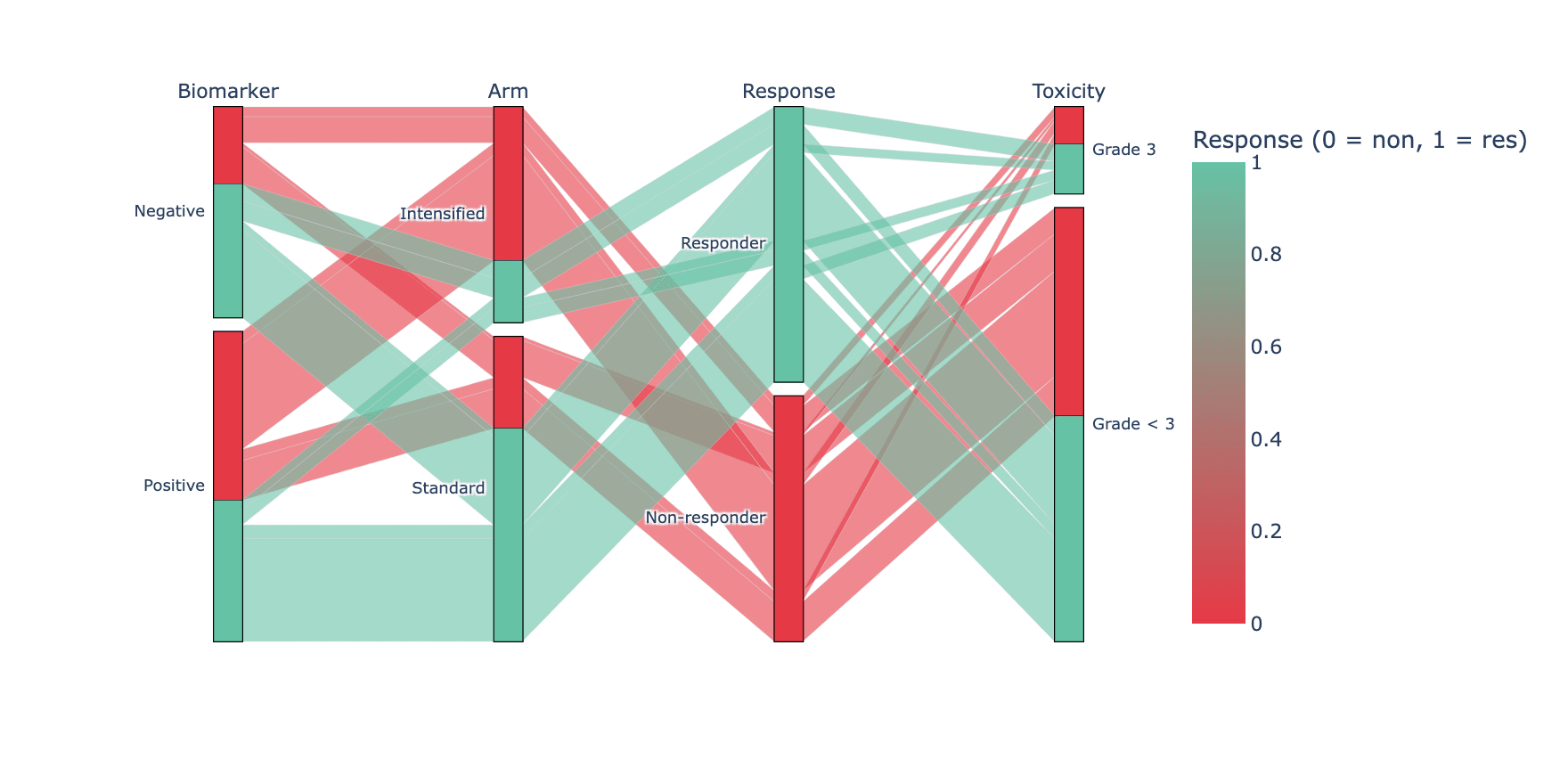
我们模拟每位患者一行的数据(n = 420),覆盖四个类别维度:标志物状态、处理臂、应答与 3 级毒性——并以应答作为贯穿弧带的颜色信号。
np.random.seed(231)

n = 420
tri = pd.DataFrame({
    'Biomarker': np.random.choice(['Positive', 'Negative'], n, p=[0.55, 0.45]),
    'Arm': np.random.choice(['Standard', 'Intensified'], n, p=[0.6, 0.4]),
})
resp_p = np.where(
    (tri.Biomarker == 'Positive') & (tri.Arm == 'Intensified'), 0.75,
    np.where(tri.Arm == 'Intensified', 0.55, 0.35))
tri['Response'] = np.array(['Responder', 'Non-responder'])[
    (np.random.random(n) < resp_p).astype(int)]
tri['Toxicity'] = np.where(
    (tri.Arm == 'Intensified') & (tri.Response == 'Responder'),
    np.random.choice(['Grade < 3', 'Grade 3'], n, p=[0.6, 0.4]),
    np.random.choice(['Grade < 3', 'Grade 3'], n, p=[0.85, 0.15]))
# plotly 6 的 parallel_categories 以连续方式映射颜色:应答编码为 0/1
tri['ResponseCode'] = (tri.Response == 'Responder').astype(int)
可视化
四维贯通、按应答着色
弧带颜色 = 应答结局,于是「谁应答?」这一问题可以通过跟踪同一种颜色贯穿所有轴来回答;悬停任意弧带可识别确切的患者分层。
fig = px.parallel_categories(
    tri, dimensions=['Biomarker', 'Arm', 'Response', 'Toxicity'],
    color='ResponseCode',
    color_continuous_scale=['#e63946', '#66c2a5'],
    labels={'Biomarker': 'Biomarker', 'Arm': 'Arm',
            'ResponseCode': 'Response (0 = non, 1 = res)',
            'Response': 'Response', 'Toxicity': 'Toxicity'})
fig.update_layout(width=880, height=440, font_size=11)
fig.show()轴上标计数
更简洁的编辑式做法是先按模式规模排序数据框,使大流量弧带最后绘制、置于顶层——并在标题中标明样本量。
order = (tri.groupby(['Biomarker', 'Arm', 'Response', 'Toxicity'])
            .size().sort_values().index)
tri_sorted = pd.concat(
    [tri[(tri.Biomarker == b) & (tri.Arm == a) &
         (tri.Response == r) & (tri.Toxicity == t)]
     for b, a, r, t in order])

fig = px.parallel_categories(
    tri_sorted, dimensions=['Biomarker', 'Arm', 'Response', 'Toxicity'],
    color='ResponseCode', color_continuous_scale=['#e63946', '#66c2a5'])
fig.update_layout(title_text=f'Patient flows (n = {n}), dominant paths on top',
                  width=880, height=440, font_size=11)
fig.show()参考文献
- Plotly Technologies Inc. Parallel categories diagram in Python. https://plotly.com/python/parallel-categories-diagram/
- Kosara, R., & Bendix, F. (2006). Parallel Sets: Interactive Exploration and Visual Analysis of Categorical Data. IEEE Transactions on Visualization and Computer Graphics, 12(4), 558-568.