import matplotlib.pyplot as plt
import seaborn as sns
import pandas as pd
import numpy as np相关矩阵图(Python)
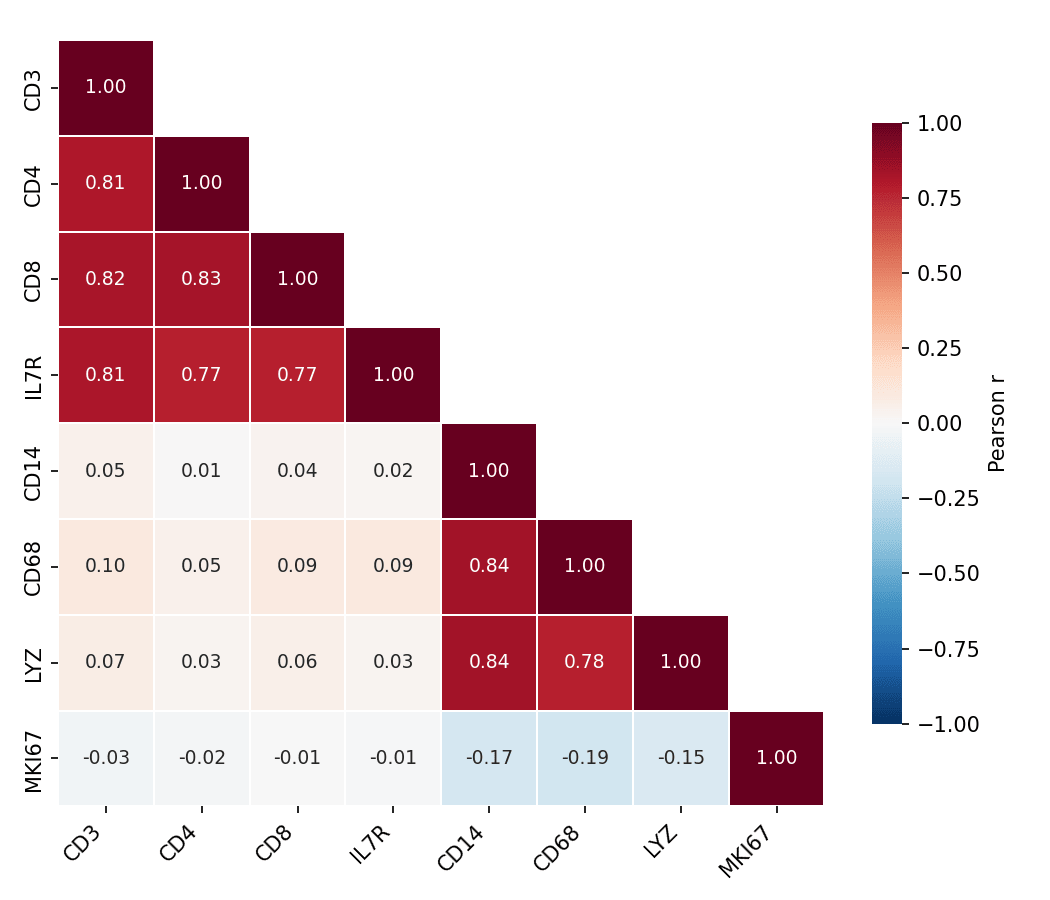
相关矩阵图(correlogram)把特征面板的两两相关系数编码为彩色矩阵单元格,一眼读出共表达模块、冗余标志物和相关变量簇。在生物医学研究中,它是标志物面板与组学特征的常规 QC。seaborn.heatmap 负责绘制,clustermap 可叠加层次聚类排序。
示例
环境配置
- 系统要求:跨平台(Linux/MacOS/Windows)
- 编程语言:Python
- 依赖包:
matplotlib、seaborn、pandas、numpy
数据准备
我们模拟一个含两个相关模块(T 细胞标志物与髓系标志物)加一个弱相关增殖评分的 8 标志物免疫面板。
np.random.seed(101)

n = 250
latent_t = np.random.normal(0, 1, n)
latent_m = np.random.normal(0, 1, n)
markers = pd.DataFrame({
    'CD3':  latent_t + np.random.normal(0, .4, n),
    'CD4':  latent_t + np.random.normal(0, .5, n),
    'CD8':  latent_t + np.random.normal(0, .5, n),
    'IL7R': latent_t + np.random.normal(0, .6, n),
    'CD14': latent_m + np.random.normal(0, .4, n),
    'CD68': latent_m + np.random.normal(0, .5, n),
    'LYZ':  latent_m + np.random.normal(0, .5, n),
    'MKI67': np.random.normal(0, 1, n),
})
corr = markers.corr()
可视化
掩膜相关热图
以零为中心的发散色图加上镜像上三角的掩膜可减半墨量、去除冗余;需要精确数值时用 annot 标注系数。
mask = np.triu(np.ones_like(corr, dtype=bool), k=1)

fig, ax = plt.subplots(figsize=(7, 6))
sns.heatmap(corr, mask=mask, annot=True, fmt='.2f', ax=ax,
            cmap='RdBu_r', vmin=-1, vmax=1, center=0,
            square=True, linewidths=0.8, linecolor='white',
            annot_kws=dict(fontsize=9),
            cbar_kws=dict(shrink=0.75, label='Pearson r'))
ax.tick_params(axis='x', rotation=45)
for t in ax.get_xticklabels():
    t.set_ha('right')
plt.tight_layout()
plt.show()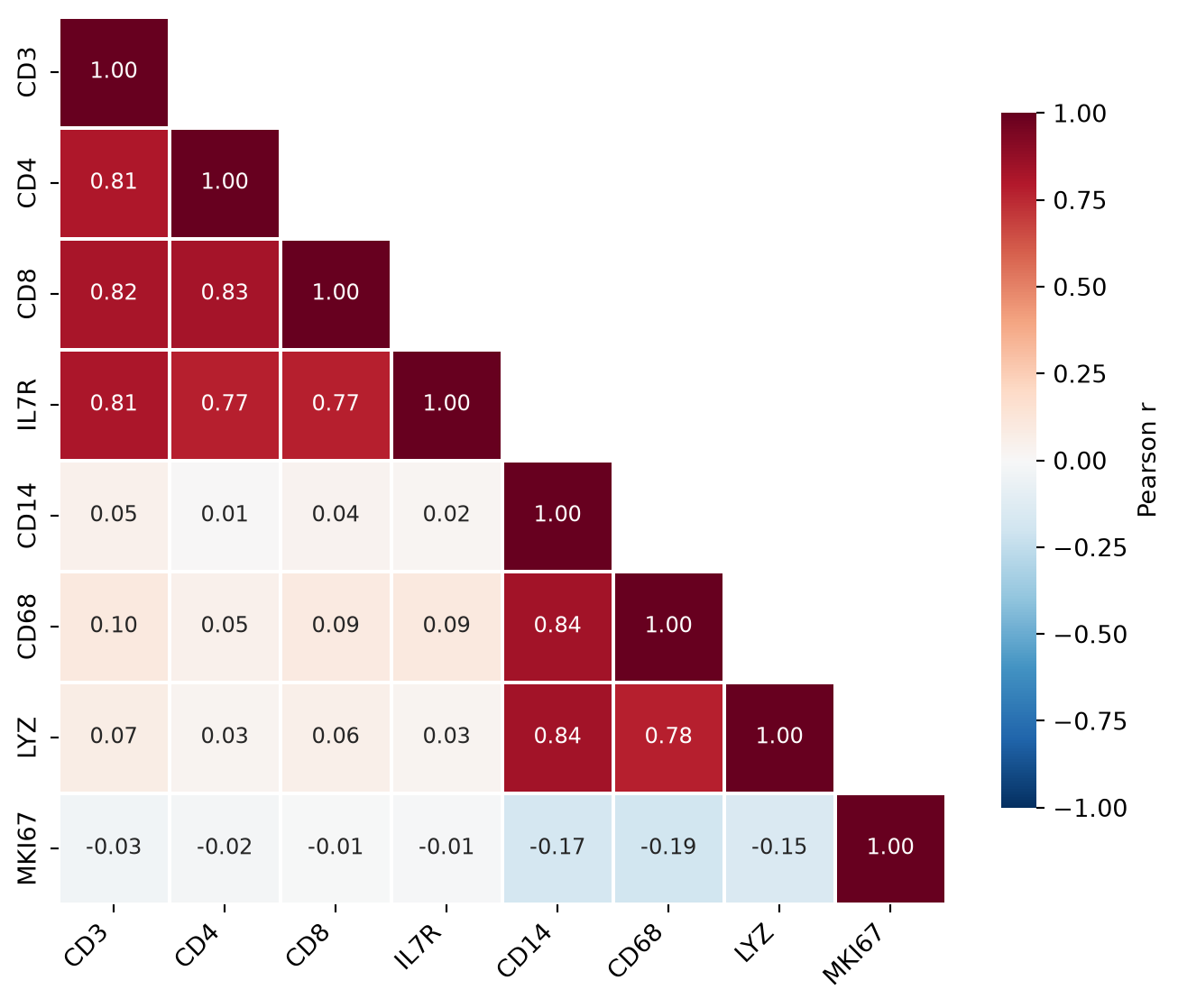
聚类排序的相关矩阵图
clustermap 按层次聚类重排行列,使相关模块在图上相邻——即使不读数字也能看清面板背后的结构。
g = sns.clustermap(corr, cmap='RdBu_r', vmin=-1, vmax=1, center=0,
                   figsize=(6.5, 6.5), linewidths=0.6, linecolor='white',
                   cbar_pos=(0.02, 0.83, 0.05, 0.16),
                   cbar_kws=dict(label='Pearson r'))
g.tick_params(axis='x', rotation=45)
g.tick_params(axis='y', rotation=0)
plt.show()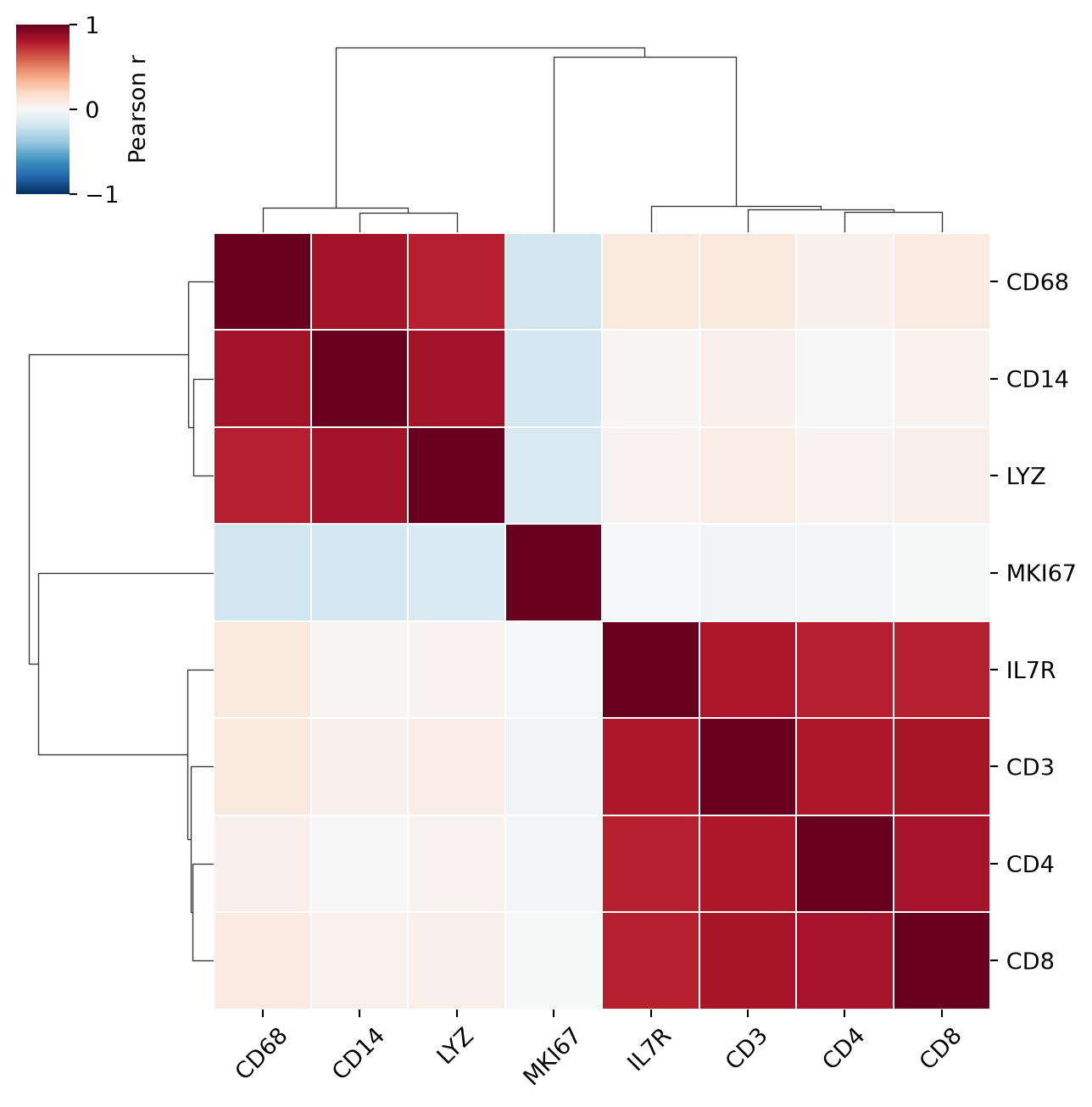
参考文献
- Waskom, M. L. (2021). seaborn: statistical data visualization. Journal of Open Source Software, 6(60), 3021.
- Hunter, J. D. (2007). Matplotlib: A 2D graphics environment. Computing in Science & Engineering, 9(3), 90-95.